


Instantly is one of the first tools people think of for cold email.
It looks like the obvious choice, but the platform changed a lot this year, and the price on the pricing page is rarely what you actually pay.
For this Instantly.ai review, I signed up, used the 14-day free trial, and tested every feature hands-on.
Also, spent real time using the platform and compared my experience with 5245+ reviews across G2, Trustpilot, and Reddit.
It’s genuinely good at what it was built for, and it now runs LinkedIn alongside email.
The gap most reviews skip is the cost, which climbs fast once you add more of the platform.
So this Instantly.ai review is my honest take on where Instantly fits in 2026, and where it doesn’t.
Let’s get into it.
Instantly.ai Review – TOC
TL;DR: Is Instantly.ai Worth It in 2026?
Need a quick verdict before deciding whether to try Instantly.ai? Here’s the short version:
Instantly.ai Features (2026): What You Actually Get
I’ve watched Instantly grow from a plain cold-email sequencer into a full outbound sales platform over time.
So for this Instantly.ai review, I put real hands-on hours into the 2026 toolkit instead of skimming its marketing page.
As I used it, the Instantly.ai features and services were sorted into four pillars: AI automation, lead data, outreach, and deliverability.
Here’s what I found, feature by feature, with wider user feedback folded into each one.
AI & Automation
This is the layer I leaned on hardest during testing, and I wanted to push it properly. The agents are built to run the entire outbound loop while I step back and watch it work.
AI Sales Agent
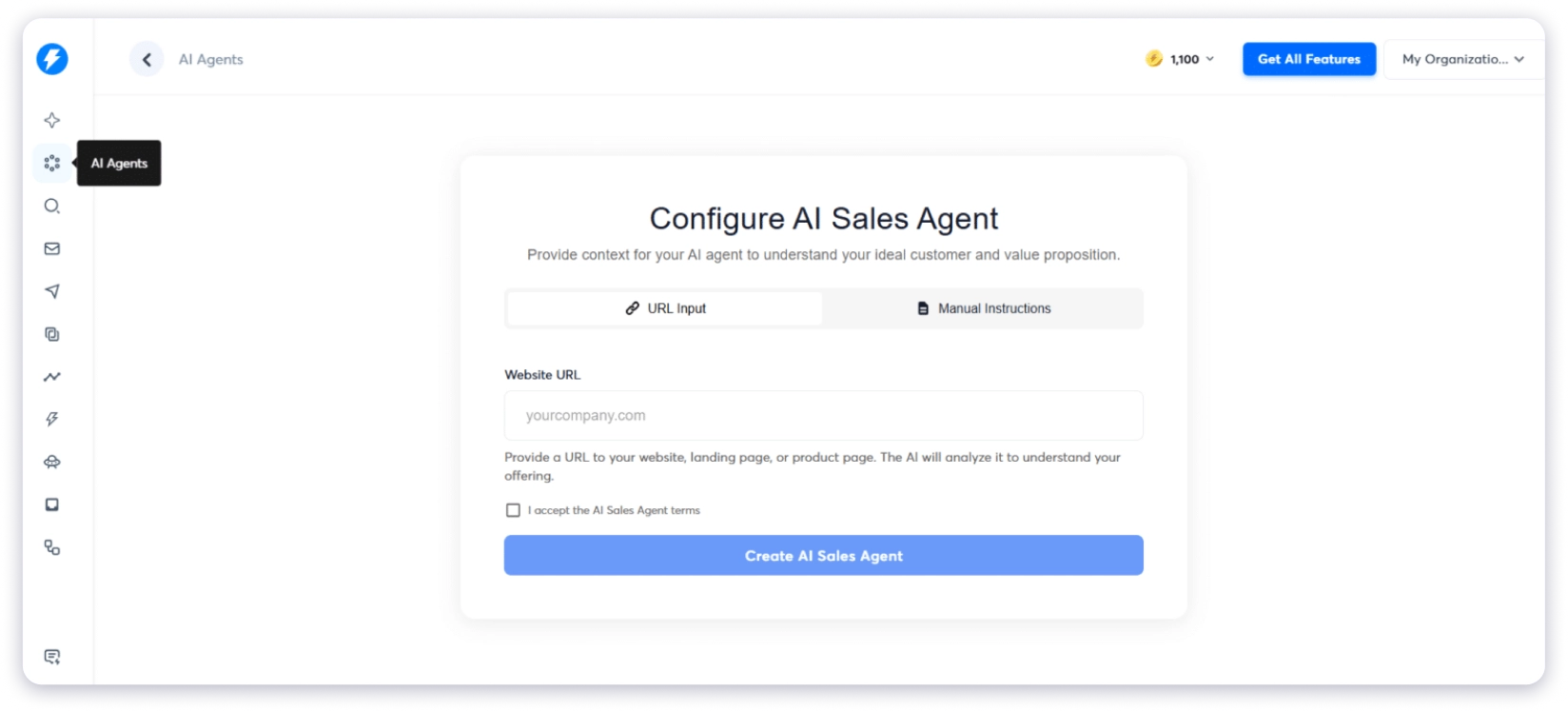
I dropped in my website URL and watched the agent read my business to understand what I sell.
From there, it built an ICP-matched prospect list and enriched each lead with contact data and buying signals.
It wrote the outreach, ran follow-ups, and booked meetings straight onto my calendar without further input.
The whole setup took about 30 seconds, with no onboarding call or setup friction.
Reading through G2, I was not alone here. One reviewer flagged automated lead and email agents as their biggest surprise.
One early caveat is that the agent runs on Instantly Credits, which are billed separately from the sending plan.
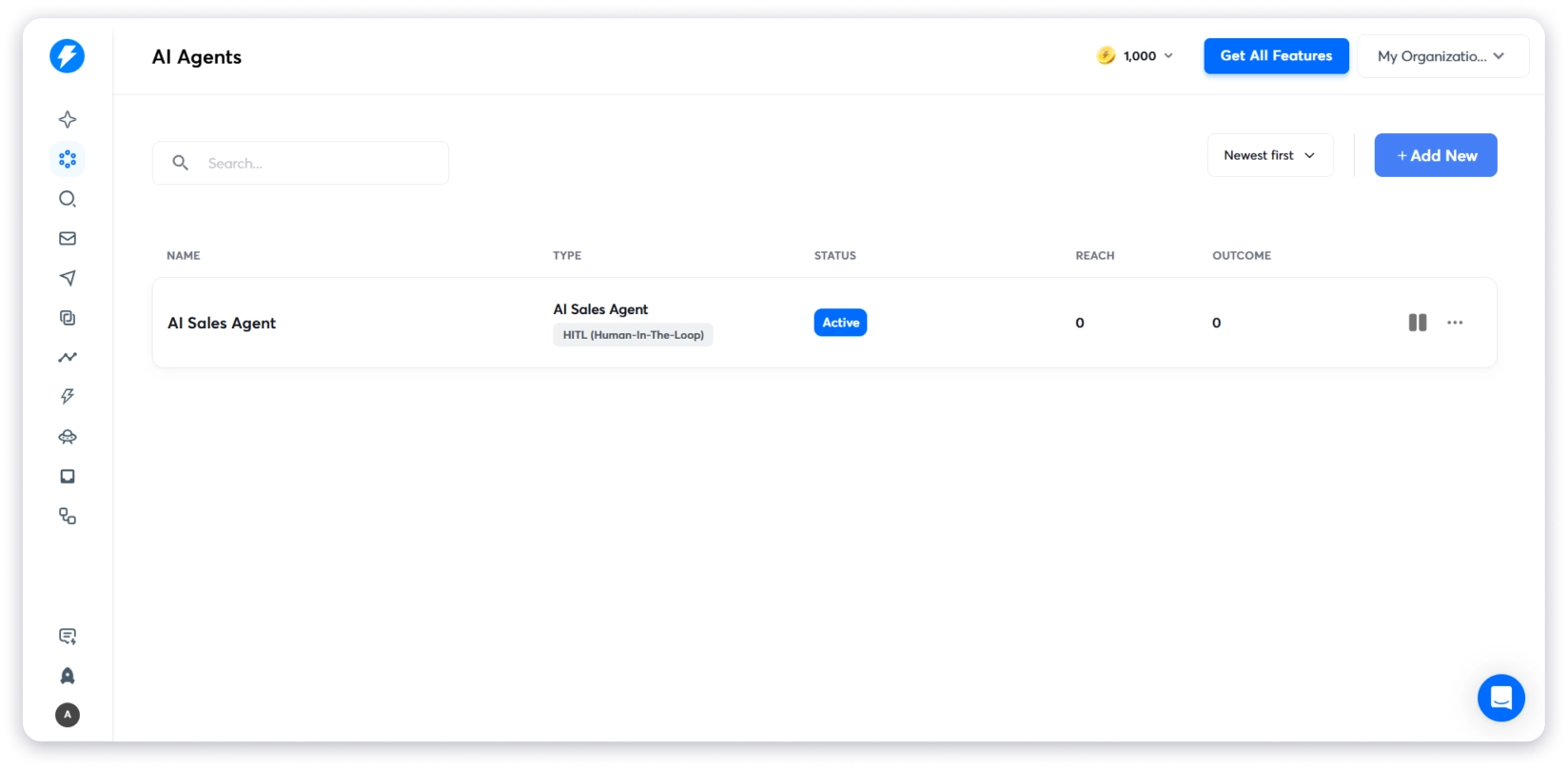
AI Reply Agent
I handed inbound replies over to it and let it read and respond automatically. What stood out was that it kept conversations moving instead of leaving warm leads sitting idle in my inbox.
Automations & Workflows
I set up trigger-based routing that fired whenever a lead visited my site, replied, or booked a meeting.
From there, leads were tagged, routed, and pushed into the right campaign without manual effort.
The main benefit is that I only had to build the logic once, then let it run in the background.
Instantly AI (Copilot)
I used the built-in assistant to analyze campaign performance and draft outreach copy based on my data.
Because it pulls from my product and ICP, the drafts are closer to usable than a generic prompt.
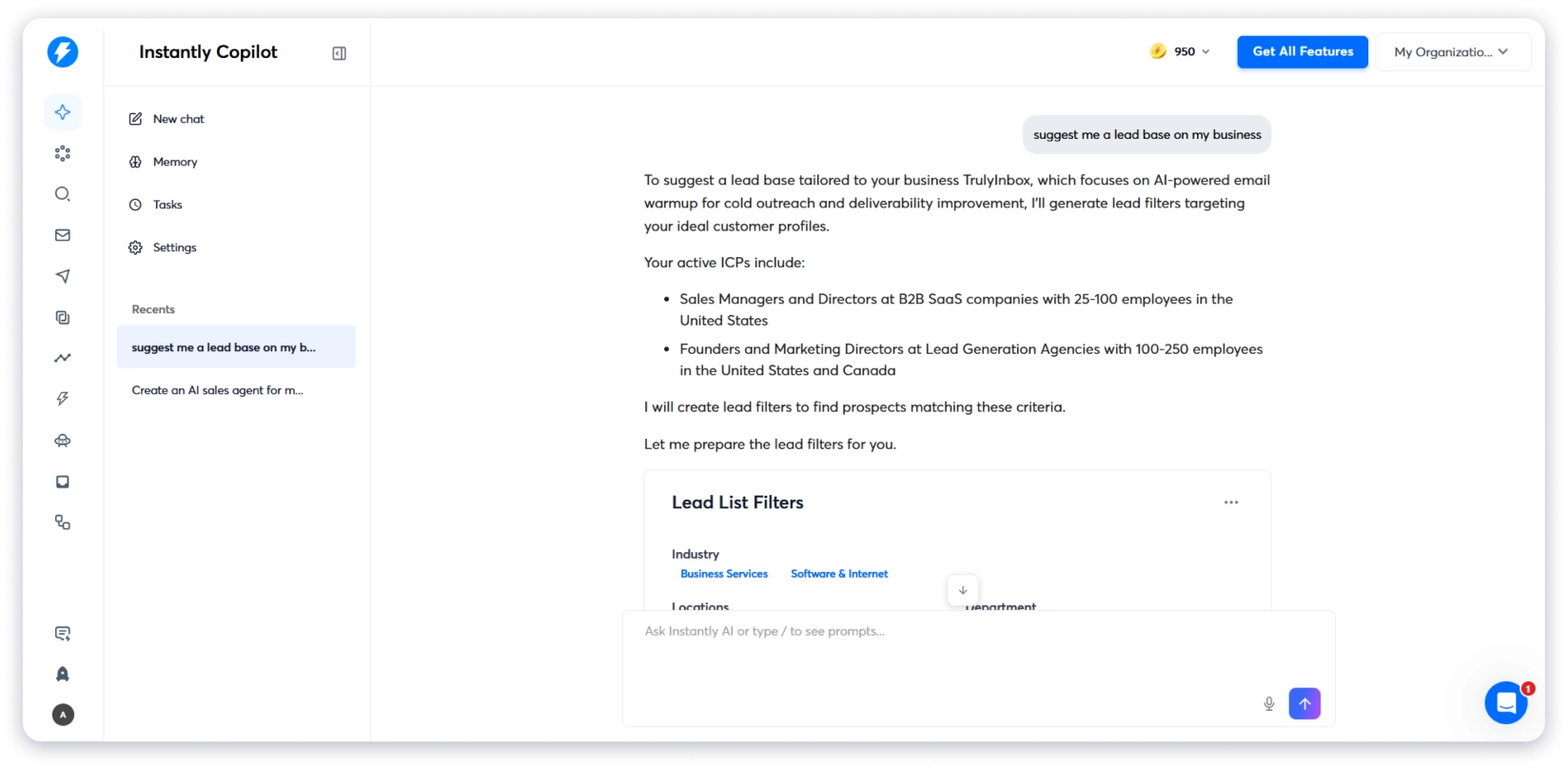
That said, this matches a recurring complaint I kept seeing from other users. The AI writing is fine for a first pass but not ready to send, and it still needs manual editing.
Several G2 and Reddit users called the copy generic and said it required heavy tweaking (as flagged in this r/SaaS review analysis).
One G2 reviewer also noted it leans on lighter AI models that lack nuance for cold email, which matches my experience.
Lead Generation & Data
This pillar is where every campaign actually starts, because outreach only works if the list underneath is right.
It covers finding prospects, verifying them, and even catching the ones already quietly landing on my site.
B2B Lead Database (Instantly Lead Finder)
I searched Instantly Lead Finder, a database of 450M+ verified contacts with real-time verification.
SuperSearch is one of the features that pushes Instantly.ai beyond campaign sending.
I filtered by job title, seniority, company size, industry, location, and intent signals, then pushed lists directly into campaigns.
The results table shows key details like Name, Title, Company, and Location, and my search returned more than one million results.
What impressed me most was how quickly I could move from finding prospects to launching a campaign without switching tools.
One important note is that this lead database uses a separate Credits system, not your sending plan, so costs can add up quickly.
A common complaint I also saw on G2 is that filtering feels limited and imported data can be clunky to edit.
I would agree that it is functional but not the strongest part of the platform.
Keyword & Lookalike Search
I used keyword search to pull entire categories of prospects. For example, searching “agency” surfaced all related companies. I also used domain lookalikes to find companies similar to my best customers.
Verification
Verification runs inside the platform, so I only contacted valid emails.
This built-in email verification reduced the need for a separate tool, which simplifies the stack.
Website Visitor Identification (Instantly Pixel)
I installed the pixel, and it identified anonymous B2B visitors, then pushed them into outreach automatically. I could filter by page visits or ICP and route leads into Slack.
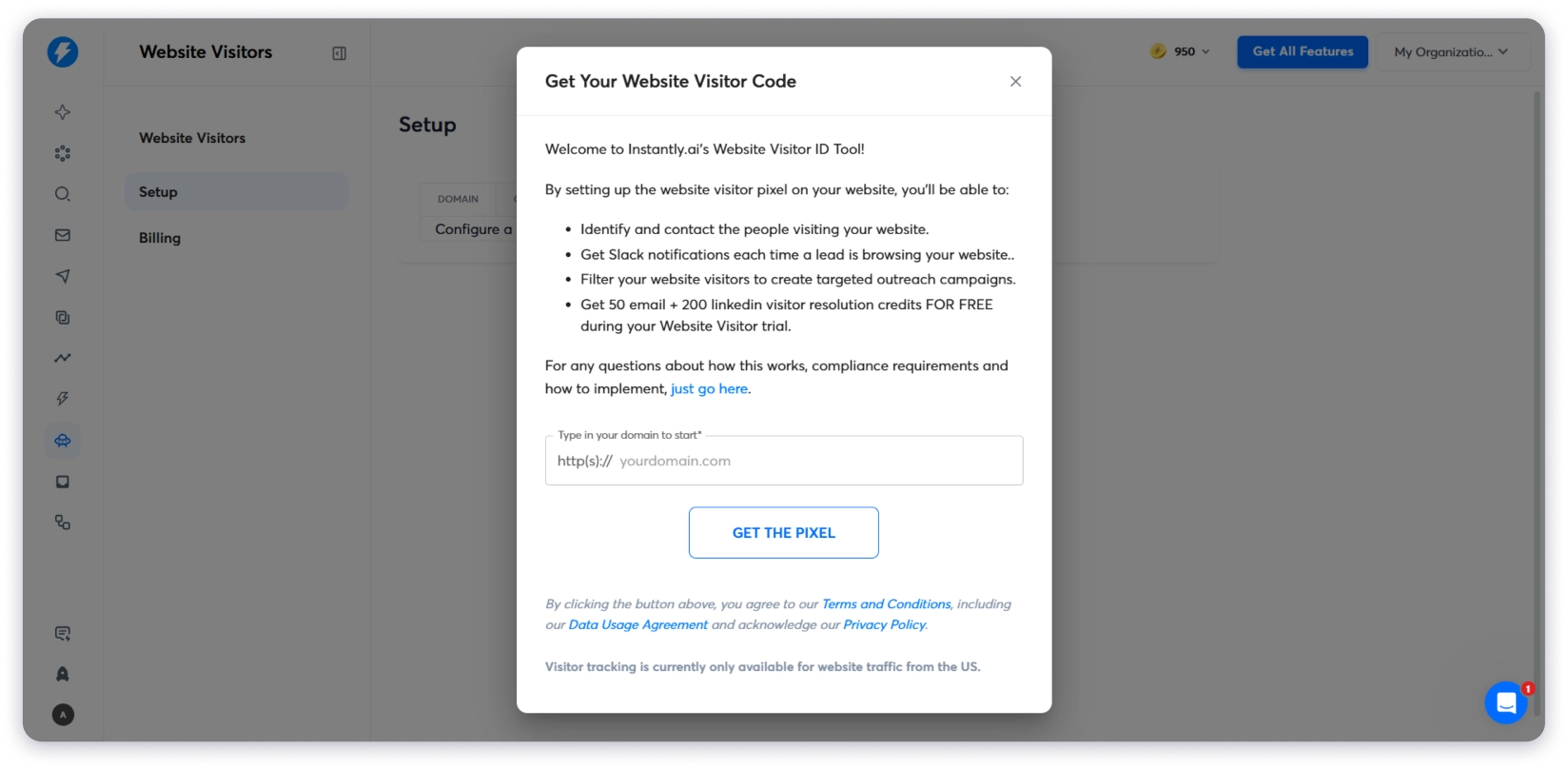
I was only charged when a valid business email or LinkedIn profile was resolved. Company-level data was still available even without a direct contact.
This feature stood out compared to most cold email tools.
Outreach & Engagement
This pillar is where campaigns actually go out, so it’s the part I lived in day to day. It covers how sequences run, how every reply gets managed, and how results finally roll up into revenue.
Automated Campaigns & Sequences

I built multi-step sequences with follow-ups and replies. The follow-up logic handled non-responders automatically, which is usually the most time-consuming part of outbound.
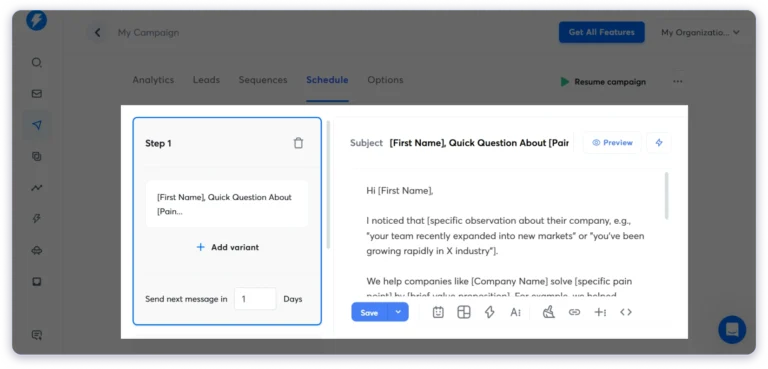
The campaign builder is one of the cleanest I have used.
Across G2, Trustpilot, and Reddit, the most consistent praise is the UI and how fast campaigns can be launched.
One issue I only discovered later is that “slow ramp” is enabled by default and can quietly throttle sends.
Campaign limits also reset on different cycles, which is not clearly explained.
Multichannel Outreach
This is where marketing and reality drift apart.
My campaigns ran email-first. I could add webhook steps, but there was no native LinkedIn step inside sequences. That meant LinkedIn required a separate tool.
Calling and SMS exist, but only inside the separate Instantly CRM add-on, not the core sending plan.
So multichannel really means email plus optional CRM-based calling and SMS.
Several users also mention limited A/B testing and shallow channel depth. If you want LinkedIn, calls, and email fully unified, this is a real gap.
Instantly CRM with Master Inbox
I managed replies from one Master Inbox, the Instantly CRM’s unified inbox (also called the Unibox), that pulled email, calls, SMS, and tasks together across accounts.
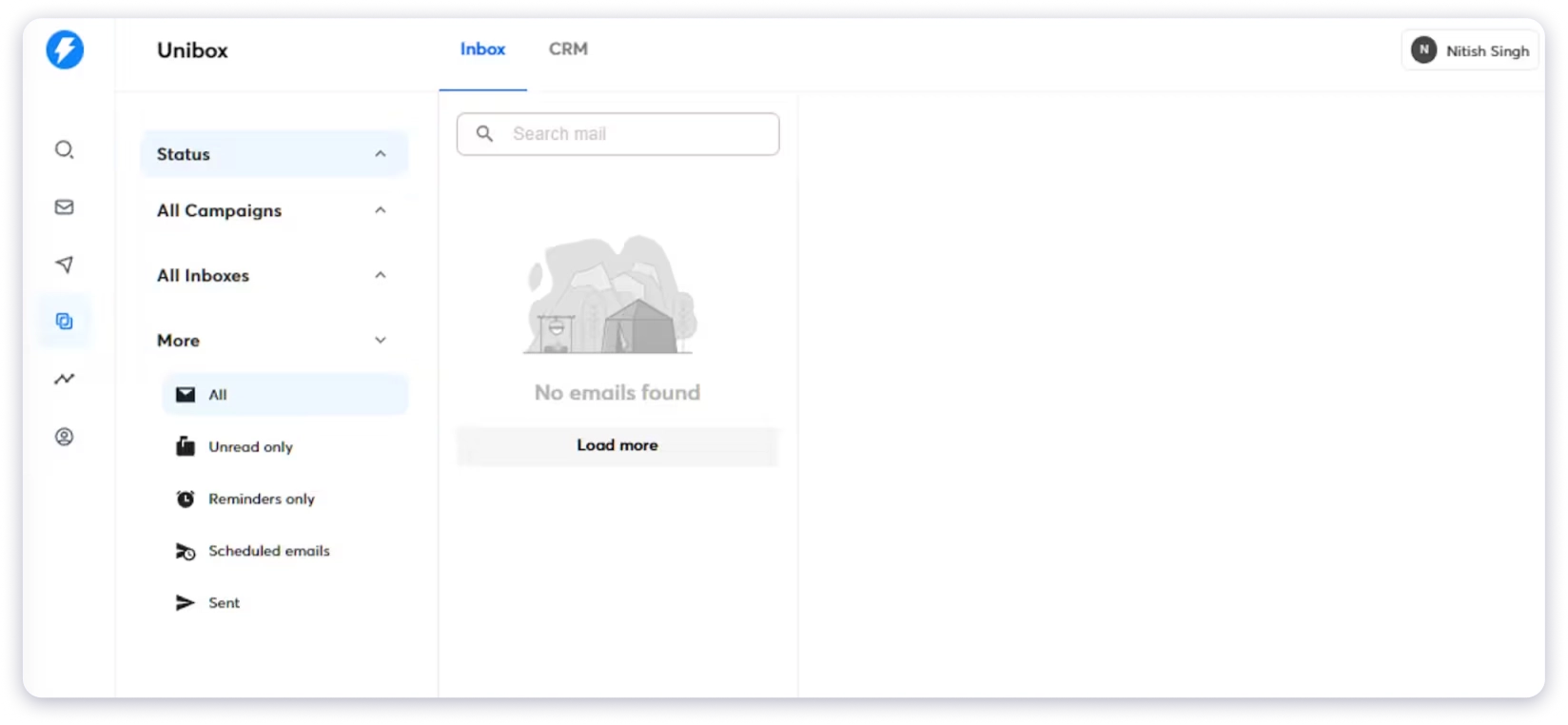
AI labels organized responses, and unlimited team seats made collaboration easier.
Many users on G2 highlight this as a major advantage, especially compared to per-seat tools.
It works well as a lightweight CRM, but feels thinner than platforms like HubSpot or Pipedrive.
Revenue Analytics
I tracked opens, clicks, pipeline, and revenue. From there, I could pause weak campaigns and scale strong ones.
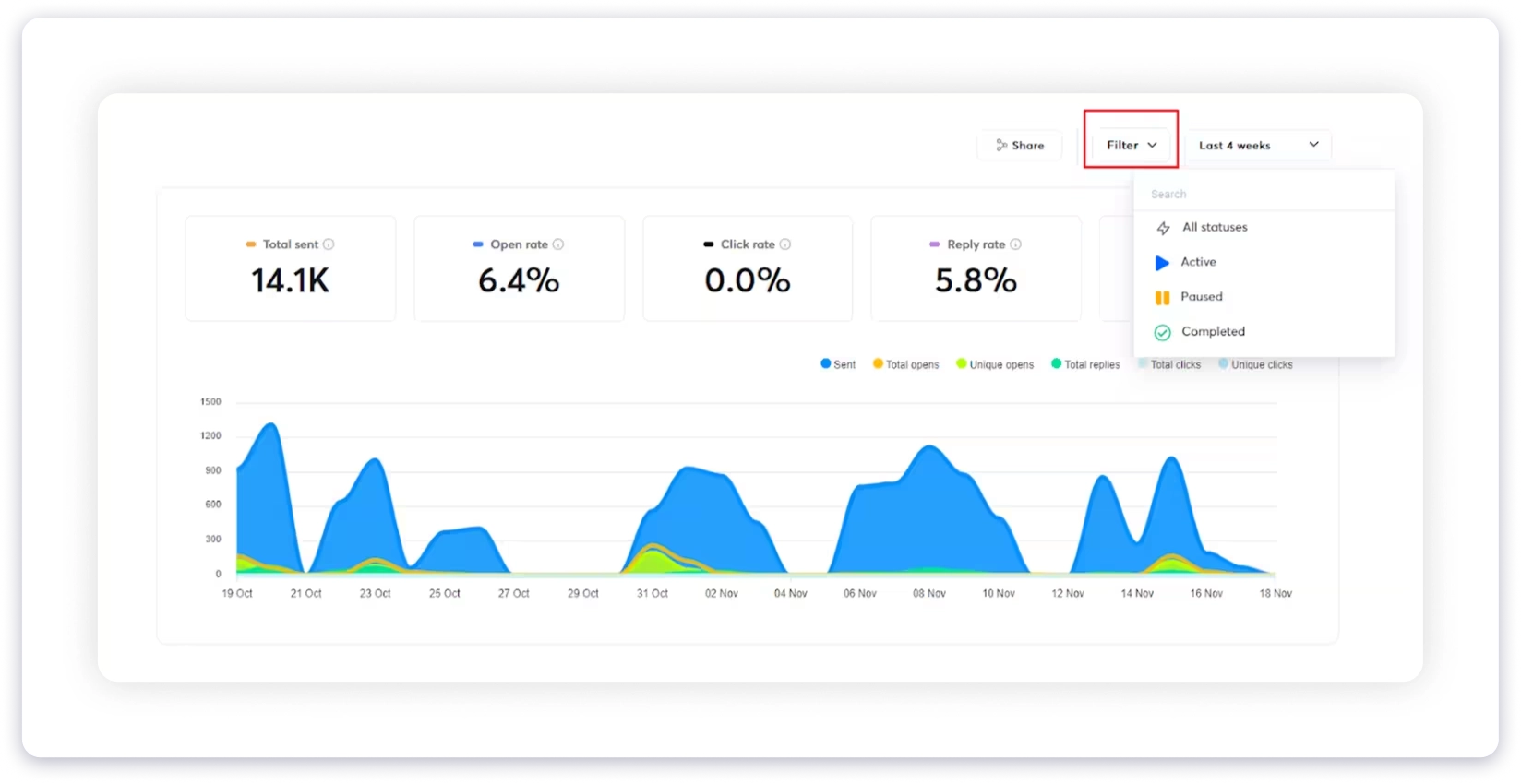
The interface is clean and easy to read, which matches most user feedback.
Deliverability & Infrastructure
Deliverability is the last pillar in this Instantly.ai review, and it turned out to be Instantly’s strongest area for me.
Going by the reviews, it’s the single biggest reason people stay.
Email Warmup & Deliverability Network
I enabled one-click email warm-up across a large network of real inboxes. Send volume ramped gradually, and behavior simulation mimicked real engagement.
This is one of the most praised features across reviews. One r/agency user documented their reply rate climbing from 0.8% to 5.1% after switching to Instantly’s unlimited inboxes and built-in deliverability.
However, deliverability is also the most common complaint.
Even with warm-up and rotation, some campaigns still land in spam, and results often require ongoing adjustment a G2 reviewer described exactly these “trial and error loops.”
Reddit discussions also show users wanting more automated deliverability control instead of manual tuning.
Unlimited Sending Accounts & Email Accounts
Most plans allow unlimited sending accounts, so I could spread volume across multiple domains with unlimited inbox rotation.
This reduces risk per domain and is frequently praised in reviews.
Inbox Placement & AirMail
I used inbox placement tools alongside AirMail, Instantly’s infrastructure layer designed to support deliverability at scale.
Scale Client Outreach Without Per-Seat Costs
Unlimited email accounts and unlimited agency clients on one flat plan, with white-labeling on higher tiers.
Pros and Cons of Instantly.ai
Here is how my Instantly.ai review nets out, the strengths worth paying for and the trade-offs to plan around.
Pros
- ✔Unlimited email accounts on every plan, with no per-seat pricing. A 20-person team pays the same as a 2-person team.
- ✔Built-in warmup network that builds sender reputation without a separate warmup tool.
- ✔One of the cleanest, fastest campaign builders in the category.
- ✔Strong, mature deliverability infrastructure, which is the main reason people stay.
- ✔Useful AI layer, from the Sales Agent to the Reply Agent to the Unibox reply management.
- ✔A 450M+ lead database and website visitor identification built into the same platform.
Cons
- ✘Email-only in campaigns. No native LinkedIn step, and calls plus SMS live only in the paid CRM add-on.
- ✘Modular pricing stacks up fast, and the jump from Growth to Hypergrowth is steep if your list sits between the tiers.
- ✘Lead credits do not roll over, so unused leads are gone at month-end.
- ✘Deliverability is strong but not hands-off. When placement dips, the dashboard shows that something is wrong more than it shows why.
- ✘The lead database feels rigid, with limited filtering and clunky editing of imported data.
- ✘The AI copy is a solid first draft, not a send-ready one, so plan on editing it.
- ✘Data portability on exit is a recurring complaint, so keep your own copy of contacts.
Instantly.ai Pricing Breakdown
“The ability to connect multiple inboxes is more cost-effective than other tools I’ve used, which usually cost per seat.” — harsh _., Founder (G2)
Pricing Structure
When I actually worked through the pricing page, it instantly split into three distinct packages: Outreach, SuperSearch (Instantly Credits), and CRM.
Each one carries its own tiers based on usage limits, and they’re billed independently, which is the detail that changes the real cost.
Outreach (the core sending platform)
SuperSearch (database access, billed as Instantly Credits)
Note: each tier shows a credit range because your exact allowance scales with how many credits you need. You start at 1,500 credits/month for $47, and it climbs toward 2,000 within the same plan as your usage grows.
CRM (for lead and customer management)
What You Actually Pay For With Instantly
Every Outreach plan I looked at included unlimited inbox warmup and multi-inbox support, which is exactly the cost advantage Harsh flagged above.
The plans mainly differ in how many emails you can send each month and how many contacts you can upload, not in the core sending features.
SuperSearch and CRM are sold separately or as add-ons, and that’s where the sticker price and the working price diverge.
SuperSearch is billed on the number of lead credits you burn per month, so anytime you lean on the database, the AI Sales Agent, or enrichment, you’re drawing down that separate wallet.
CRM pricing then scales with team size and the functionality you switch on, with calling, SMS, and visitor tracking sitting on the higher Hyper CRM tier.
So the honest read is that the entry price gets you sending; a full “find, enrich, and manage” setup means paying for two or three of these tracks at once.
Final Verdict: So, Is Instantly.ai Worth It in 2026?
After spending time with the platform, I’d say yes, Instantly is worth it if cold email is your main outbound channel.
It is one of the strongest platforms for high-volume email outreach, and the unlimited inboxes and built-in warm-up live up to the hype.
Well, for founders, agencies, and SDR teams focused on email, it does its core job extremely well.
I’d think twice if your workflow goes beyond email.
Once you need LinkedIn, calls, and email in one sequence, or simpler pricing without multiple paid modules, the platform starts to feel limiting.
Instantly does exactly what it was built for. It just is not designed to be your complete outbound platform.
That’s the exact gap I’d weigh against the main alternative below.
Instantly.ai vs Saleshandy
I run a lot of outbound, so this is the comparison I actually care about.
Instantly focuses on email outreach, while Saleshandy combines lead generation, outreach, and CRM in one platform.
Instantly.ai vs Saleshandy
If you’re looking for cold email software in 2026 that combines lead generation, email verification, outreach automation, and CRM in a single straightforward plan, I recommend Saleshandy.
You can try Saleshandy with 50 free credits, no credit card required, and check the data quality against your own market before you decide.
Frequently Asked Questions
1. Is Instantly.ai legit?
Yes. Instantly is a well-established cold email platform used by hundreds of thousands of businesses, with a 4.8 out of 5 rating on G2 across thousands of reviews. It is best known for reliable deliverability and unlimited email accounts.
2. How much does Instantly.ai cost?
Instantly’s Outreach (cold email) plans start at $37/mo. A realistic full setup that adds SuperSearch lead credits and the CRM usually runs meaningfully higher, since those are separate subscriptions.
3. Can I use Instantly.ai for free?
Yes. The Instantly free trial lets you start for free and test the platform. Full lead data, CRM, and higher sending limits require a paid plan, and the lead credits do not roll over month to month.
4. Does Instantly have a lead database and CRM?
Yes. Instantly includes a 450M+ contact lead database and a built-in CRM with a Master Inbox. Both are priced as separate add-ons, not part of the core sending plan.
5. Does Instantly.ai support LinkedIn and multichannel outreach?
Not inside a campaign. Instantly’s sequences are email-first, with no native LinkedIn step. Calling and SMS are available only through the separate Instantly CRM add-on, so teams that want LinkedIn, calls, and email in one sequence usually pair it with another tool or switch to a multichannel platform.
6. Is Instantly.ai good for deliverability?
It is one of its strengths. The built-in warmup network, unlimited auto-rotating mailboxes, and inbox-placement tools help most senders land in the inbox. The main gripe is that when placement dips, the dashboard tells you something is wrong more than why, so troubleshooting can take manual work.
7. What is the best Instantly.ai alternative?
For teams that need multichannel outreach and clearer pricing, Saleshandy is the strongest all-in-one alternative, with email, calls, and LinkedIn in one workflow and an 852M+ Lead Finder. See the full alternatives guide for more options.