

“Finding email addresses sounds easy until you have to do it at scale.”
You finally find the right company and the right person, then spend the next ten minutes jumping between their website, LinkedIn, company pages, and Google searches just to find one accurate email.
Do that a few hundred times and building a contact list starts to feel like a full-time job.
And extracting any email is not the win. A wrong or outdated address just wastes your time, sends your bounce rate up, and makes your outreach look unprofessional.
I’ve watched this kill campaigns that otherwise had strong messages.
That’s why I decided to test the best email extractor tools myself.
Over the past few months, I ran 16 of them through the same real workflows I use when building lists for my own outreach.
I looked at how accurate the emails were, how well the tools checked if they still worked, the overall quality of the data, and whether they actually saved time instead of creating more work.
Email Extractors – TOC
TL;DR: A Quick Glimpse of Top Email Extractors to Use in 2026
| Tool | Best Features | Free Plan | Accuracy | Verification | Export Options |
|---|---|---|---|---|---|
| Saleshandy |
|
50 credits | 98% | Real-time email verification | CSV, CRM, direct-to-sequence |
| Hunter.io |
|
50 email searches | 90% | Email verification | Google Sheets, HubSpot, CSV |
| Snov.io |
|
50 credits | 95% | Email verification | CSV, XLSX, Sheets, CRM |
| Skrapp.io |
|
100 credits | 92% | Email verification | CSV, XLSX, CRM sync |
| Mailmeteor Email Extractor |
|
Unlimited free | 80% | Basic validation | Copy-all, Google Sheets |
| Thunderbit |
|
6 pages | 90% | Data extraction support | Excel, Sheets, Airtable, Notion |
| Kaspr |
|
15 B2B emails | 95% | Verified contacts | CSV, CRM sync, API |
| Wiza |
|
Limited free credits | 99% | Real-time email verification | CSV, CRM/ATS, API |
| GetProspect |
|
600 credits | 97% | Email verification | CSV/XLSX, CRM, API |
| Waalaxy |
|
25 credits | 99% | Triple verification | CRM sync, CSV |
| Evaboot |
|
No free plan | 95% | Email validation | CSV, CRM import |
| Apollo.io |
|
Limited free credits | 91% | Email verification | CSV, CRM, API |
| Cognism |
|
Demo only | 98% | Verified contacts | CSV, CRM, API |
| Lusha |
|
50 credits | 81% | Email verification | CSV, CRM sync |
| UpLead |
|
5 credits | 95% | Email verification | CSV, CRM, API |
| Clearout |
|
100 credits | 99% | Real-time email verification | CSV, API, Sheets |
What is an Email Extractor?
An email extractor is a software tool that automatically finds, collects, and verifies email addresses from online sources like company websites, LinkedIn profiles, B2B databases, PDFs, and raw text.
Sales teams, SDRs, and marketers use email extractors to build accurate prospect lists in minutes instead of hours of manual research.
The best tools in 2026 also verify each address in real time against SMTP servers, enrich contacts with job title and phone, and push records straight into an outreach sequence.
How Email Extractors Work
There are three ways modern extractors find emails, and the method decides how accurate the output is.
1. Regex Scrapers scan a page’s visible text or source code for anything matching the name@domain.tld pattern. Fast and free, but they cannot verify what they grab, so 20 to 40% of results typically bounce. Examples: Mailmeteor Email Extractor and other free URL scanners.
2. Database Lookup tools search an indexed database of pre-verified business contacts using filters like domain, job title, industry, and geography. Accuracy usually clears 95% because emails are validated on ingest. Examples: Saleshandy Lead Finder, Hunter.io, Apollo.io, Cognism.
3. AI-Powered Extractors read the page like a human would, inferring which strings are emails, which are junk, and which belong to whom. They handle messy layouts, protected emails, and multi-page directories that regex scrapers miss. Examples: Thunderbit, Saleshandy AI Prompt-to-List.
For any campaign at scale, use a database or AI tool with baked-in verification.
A List of Top Email Extractors to Use in 2026 and Beyond (Explained in Detail)
Let’s now understand each of the email extractors in detail, one by one. I have bifurcated these email extractors into different categories.
1. Saleshandy
G2: 4.6 (805+ reviews) · Capterra: 4.5 (120+ reviews) Compliance: SOC 2 Type II, ISO 27001, GDPR
Saleshandy is a B2B email extractor tool designed to help you find verified business email addresses at scale.
You search 852M+ verified B2B contacts using 75+ filters like job title, tech stack, funding stage, and geography with 98% accuracy.
Bulk extract from up to 100 company domains in one run, or pull up to 10,000 leads in a single go.
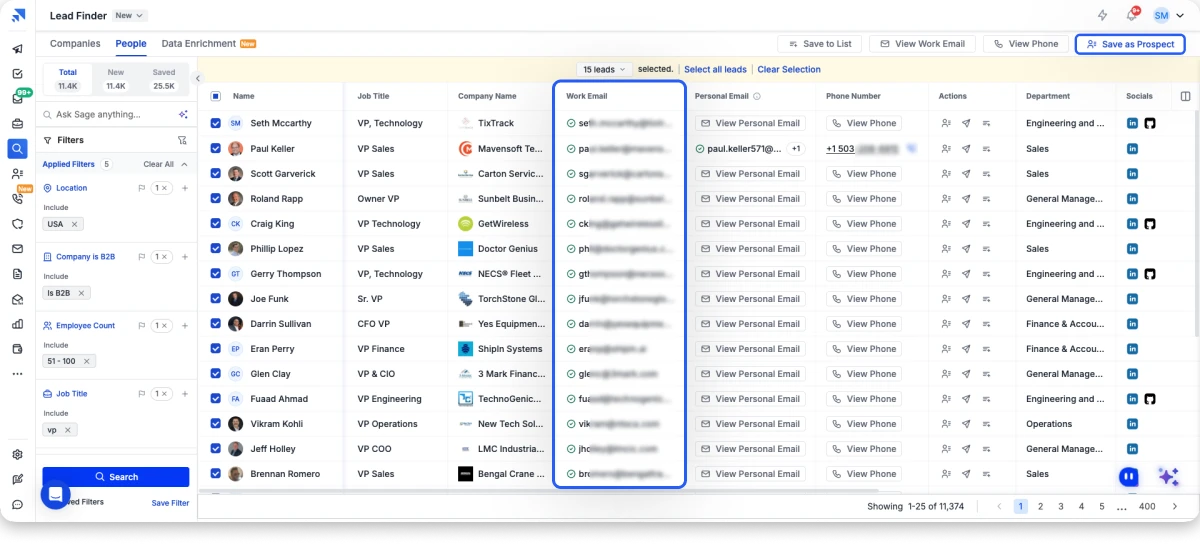
Every email is double-verified and paired with a mobile number where available, keeping bounce rates below 2%.
Standout Feature: AI Prompt-to-List. Describe your ICP in plain English (“VP of Sales at Series B SaaS in the US, 100 to 500 employees, using Salesforce”) and the tool surfaces matching verified contacts instantly.
Extracted leads flow directly into Saleshandy CRM and sequences. If you want an extra verification pass, the built-in email verifier runs on any list before sending
Pros:
- 852M+ verified B2B database with 75+ filters
- Bulk extraction up to 100 domains or 10,000 leads per run
- AI Prompt-to-List for natural-language ICP search
- Built-in verifier with real-time verification
- Flat credit-based pricing with 50% credit rollover
Cons:
- Free tier of 50 credits fits testing more than full campaigns
Pricing (Billed Annually):
- Starter at $34/month.
- Pro at $76/month.
- Scale at $149/month.
- Custom
Apart from that, you can roll over any unused credits from your paid plan to the next month.
2. Hunter.io
G2: 4.4 (590+ reviews) · Capterra: 4.6 (690+ reviews) Compliance: GDPR, CCPA, SOC 2 Type II
Hunter.io is the domain-based email extractor best for teams that need to find every public email tied to a company, verify each address with confidence scores, and enrich contacts with names and job titles from the same platform.
Enter any company domain, and Hunter returns every public email tied to it, with names, job titles, and a confidence score.
Standout Feature: Domain search with source citations. Every email comes with a source URL and a confidence percentage, so you know before sending which addresses are gambles.
The Chrome extension surfaces emails as you browse LinkedIn or company sites.
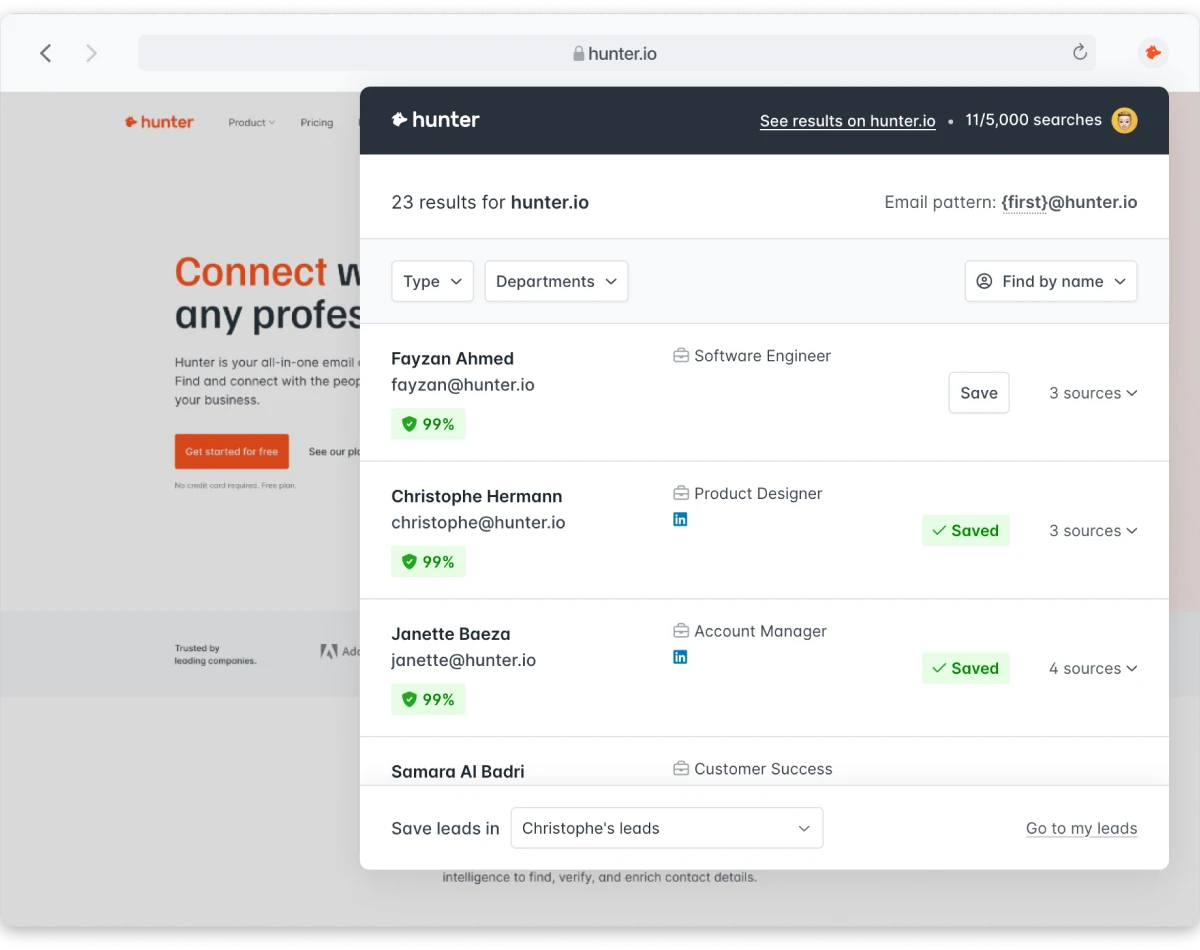
Bulk CSV uploads handle domain and name lookups at scale, and verification runs on the same platform.
Pros:
- Deep domain search with source citations
- Chrome extension works on LinkedIn and any website
- Bulk CSV upload for domain or name lookups
- Built-in verifier keeps bounce rates low
- Clean integrations with Sheets, HubSpot, Zapier
Cons:
- Free tier caps at 25 searches/month
- Pricing gets steep past 10,000 credits/mo
- Database misses newer companies
Pricing (Billed Annually):
- Free: 25 searches/mo
- Starter: $34/mo, 1,000 credits
- Growth: $104/mo, 10,000 credits
- Business: $209/mo, 25,000 credits
Not sure about it? You can check and read more about Hunter.io alternatives.
3. Snov.io
G2: 4.5 (450+ reviews) · Capterra: 4.4 (200+ reviews) Compliance: GDPR, CCPA, SOC 2
Snov.io is the best bulk email scraper for teams that need to scrape emails, verify them with 7-tier verification, and warm inboxes from the same platform.
Find emails by name, domain, or company, pull them from LinkedIn with the Chrome extension, and load bulk lists up to 20,000 domains for big campaigns.
Standout Feature: Bulk domain search that handles 20K domains in a single upload. One of the highest ceilings on this list.
Every extracted address passes through a built-in verifier with 98%+ accuracy, and the results feed into Snov’s drip-campaign engine.
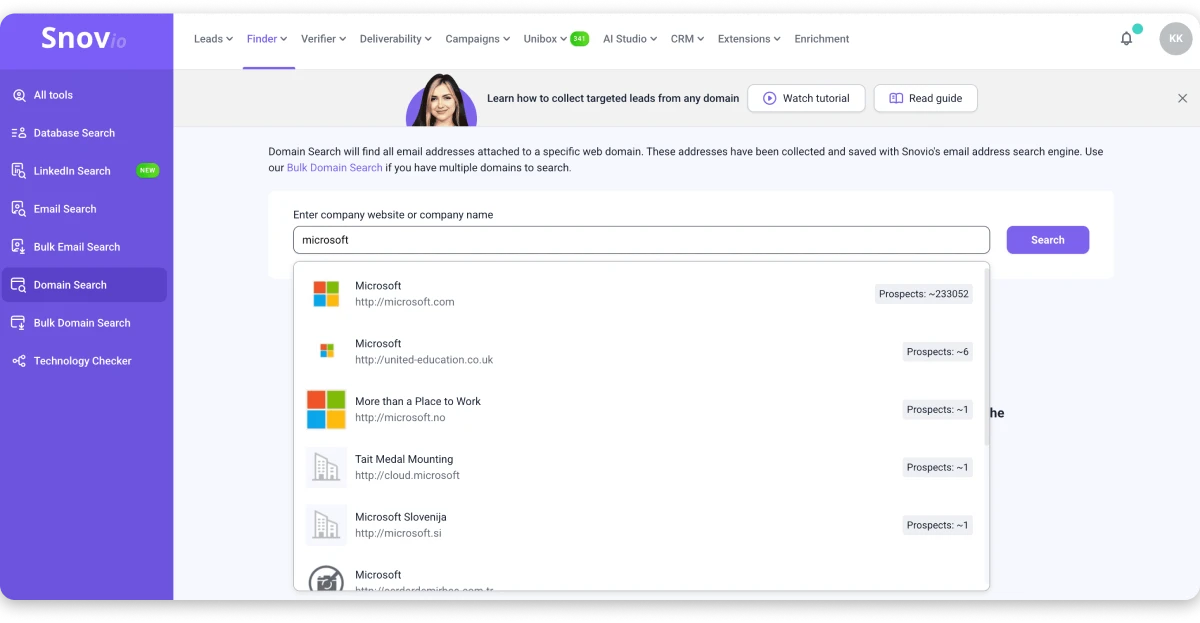
Integrations cover HubSpot, Salesforce, Pipedrive, and Zapier.
Pros:
- Multi-source extraction across web, LinkedIn, Sales Nav, Google
- Bulk domain uploads up to 20,000 at once
- Native drip campaigns with tracking
- Enrichment adds job title, company data, social links
- CRM sync plus Zapier
Cons:
- UI has a learning curve for beginners
- Data accuracy dips on niche verticals
- Credit system gets expensive at scale
Pricing:
- Starter: $39/mo, 1,000 credits
- Pro: $99/mo, 5,000 credits
- Ultra: custom
4. Skrapp.io
G2: 4.3 (230+ reviews) · Capterra: 4.5 (50+ reviews) Compliance: GDPR
Skrapp.io is the LinkedIn email extractor best for teams that need to pull verified emails from LinkedIn profiles and run bulk uploads of up to 2,500 records.
Its B2B database covers 200M+ contacts across 20M+ companies at 92% accuracy.
Standout Feature: Bulk uploads of 2,500 records per run. Ideal for prospecting into a target account list without hitting daily quotas.
The Chrome extension is where Skrapp shines. One click on any LinkedIn or Sales Nav profile returns a verified work email.
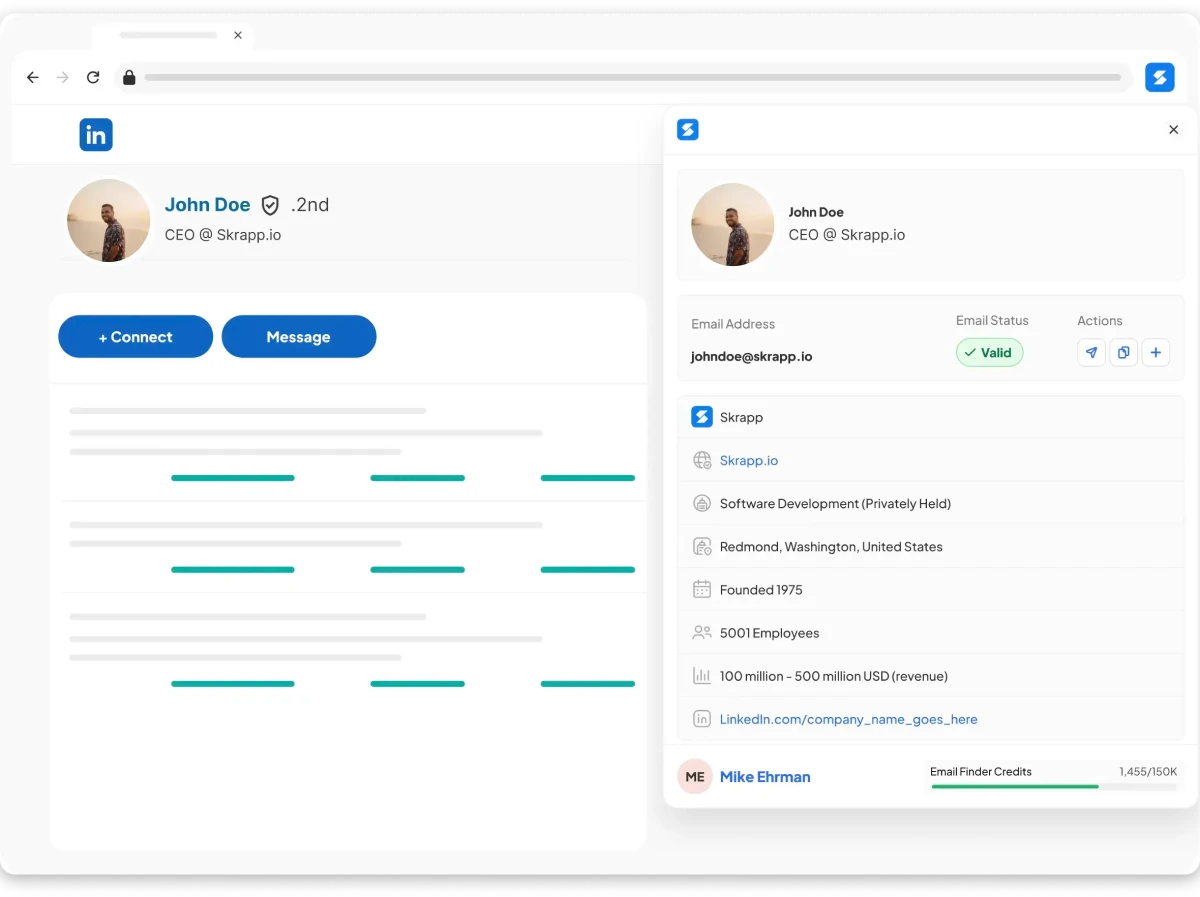
For programmatic use, the Email Finder API drops into custom workflows.
Pros:
- Chrome extension for LinkedIn, Sales Nav, and websites
- Bulk uploads up to 2,500 per run
- Built-in verification tool
- Email Finder API for custom integrations
- CRM sync with HubSpot, Salesforce, Pipedrive
Cons:
- Free plan tops out at 100 credits/month
- Database smaller than top-tier competitors
- Occasional stale data on smaller companies
Pricing (Billed Annually):
- Free: 100 credits/mo
- Professional: $39/mo, 1,000 credits
- Growth 5K: $99/mo, 5,000 credits
- Enterprise: $349/mo, 50,000 credits
5. Mailmeteor Email Extractor
Mailmeteor’s Email Extractor is the free URL-based email extractor best for teams that need to crawl multi-page websites and pull publicly displayed emails.
Paste any website URL and the crawler scans every accessible page for email addresses, then hands you the full list ready to copy.
Standout Feature: Multi-page crawling with no signup and no daily limit. It follows internal links to pull emails from every reachable page on the target site, not just the one you paste.
Because the tool renders JavaScript-heavy pages before scanning, it catches emails on modern sites that basic scrapers miss.
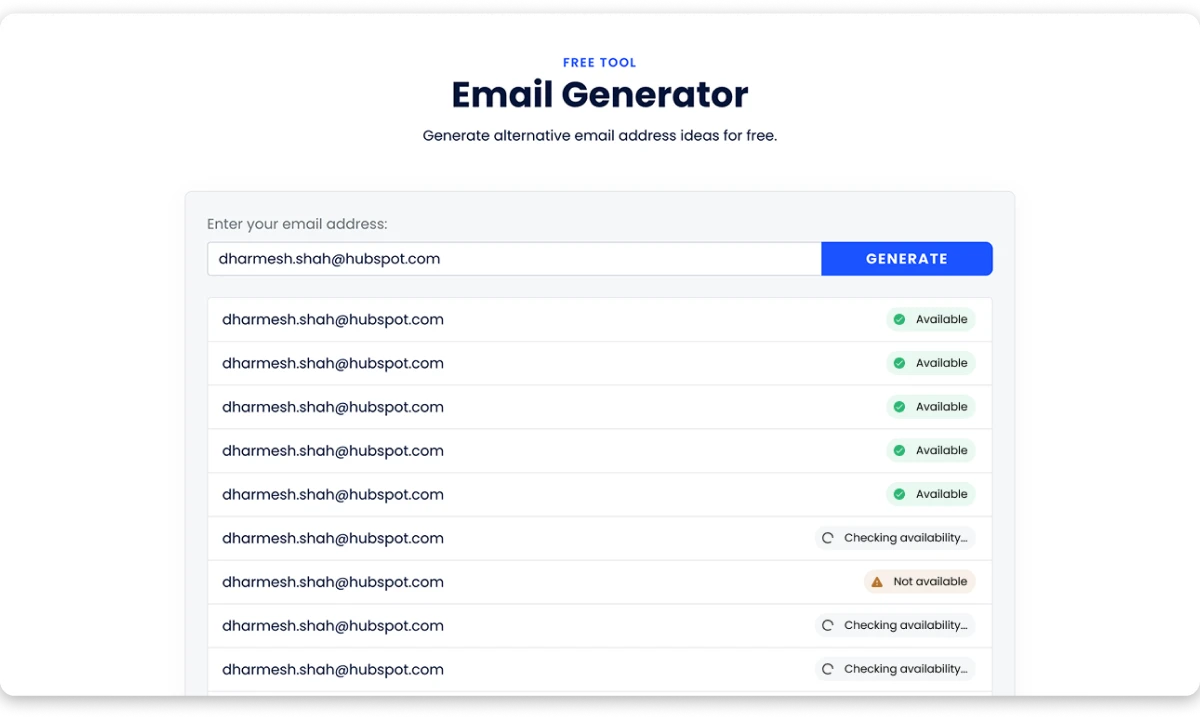
Verification is not built in, so run the export through a verifier before sending cold outreach.
Pros:
- 100% free with no signup or credit card
- Crawls multi-page websites automatically
- Handles JavaScript-rendered pages
- Copy-all export in one click
- Runs from any browser
Cons:
- Only pulls what is publicly displayed on the site
- No verification built in
- No CRM export or API access
Pricing:
- Free
6. Thunderbit
G2: 4.7+ ratings across marketplaces · Chrome Store: 4.2 (200,000+ users)
Thunderbit is the AI-powered email extractor best for teams that need to scrape emails from any webpage in one click, follow subpages automatically, and export directly to Sheets, Excel, or Notion from the same platform.
It uses natural language extraction, so you describe what you want or let the AI read the page and name the fields itself.
Standout Feature: Thunderbit visits every linked profile or product page automatically and pulls emails from each, then hands you one clean table. Pagination is handled the same way.
Data exports directly to Excel, Google Sheets, Airtable, or Notion.
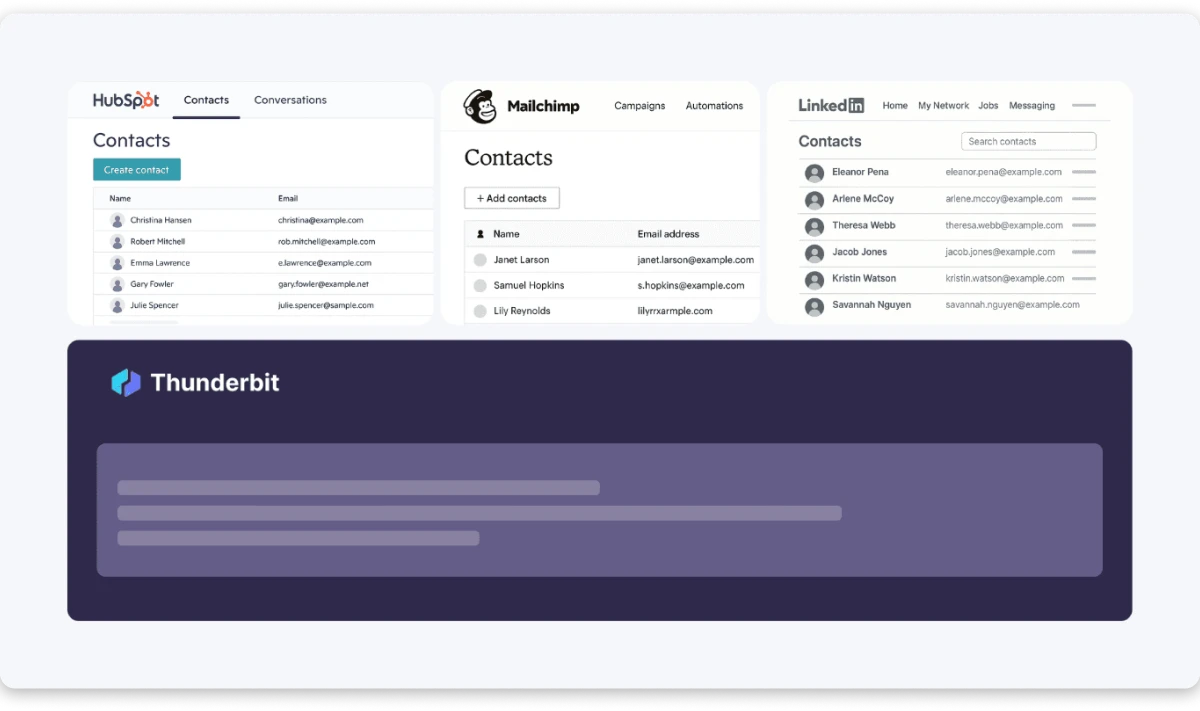
The extension also handles PDFs and images through built-in OCR, and scheduled scraping lets you monitor listings for new leads.
Pros:
- AI-powered one-click extraction
- Subpage crawling and pagination
- Exports to Sheets, Excel, Notion, Airtable
- Built-in OCR for PDFs and images
- Scheduled scraping for recurring runs
Cons:
- Credit system can burn fast on large scrapes
- Not purpose-built for B2B databases
- Verification requires an external tool
Pricing (Billed Annually):
- Free: 6 pages/mo (30 credits/page)
- Starter: $9/mo, 5,000 credits/year
- Pro: $16.50/mo, 30,000 credits/year
- Business: custom
7. Kaspr
G2: 4.4 (600+ reviews) · Capterra: 4.5 (100+ reviews) Compliance: GDPR, CCPA
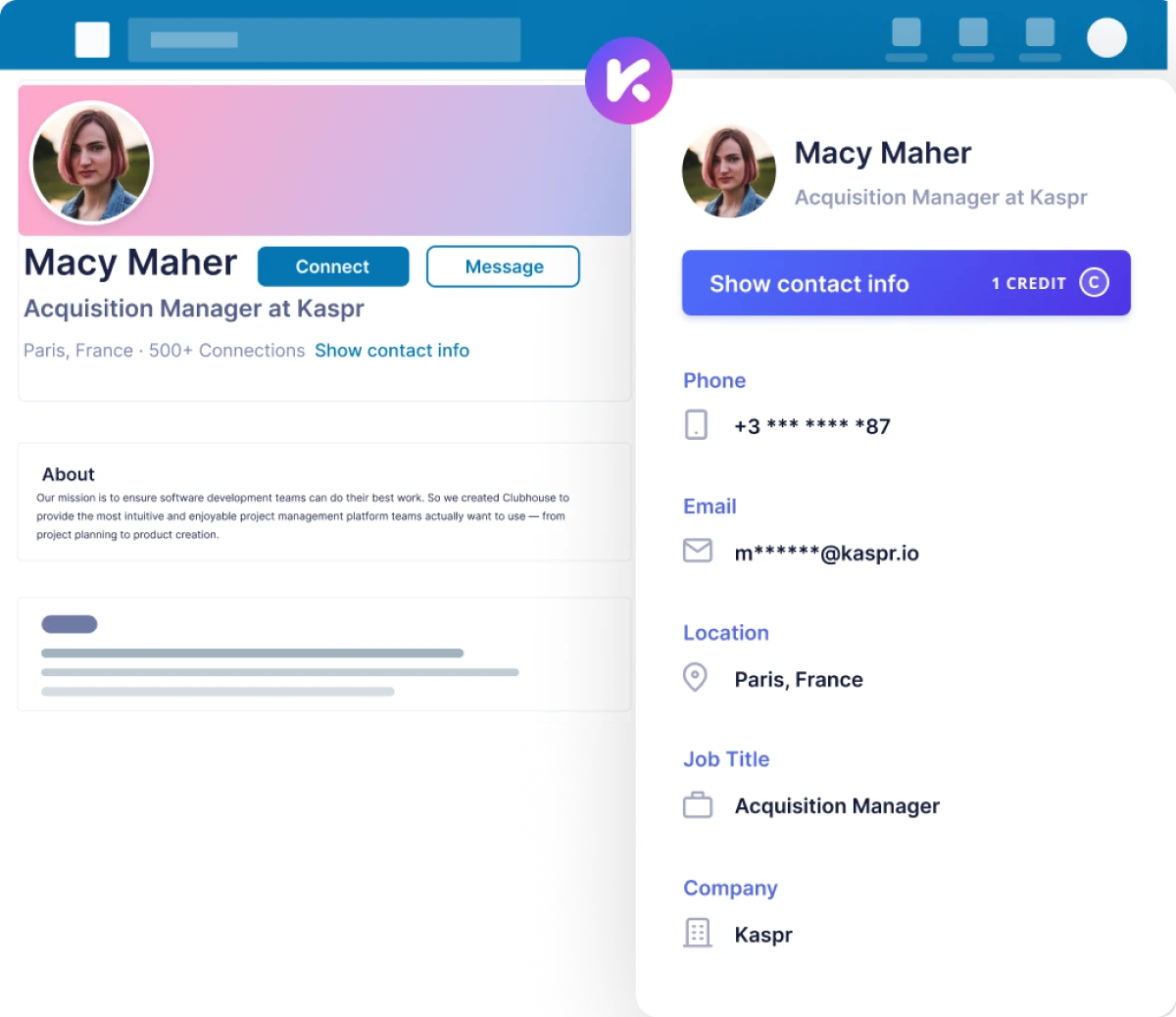
Kaspr is the LinkedIn Chrome extension best for teams that need to pull B2B emails from LinkedIn profiles, capture direct-dial phone numbers, and bulk-enrich Sales Navigator lists from the same platform.
It taps a database of 500M+ business contacts.
Standout Feature: Unlimited B2B email credits on all paid plans. Phone and direct email credits are separate, but work emails come at no extra cost once you subscribe.
Bulk enrichment lets you upload LinkedIn URL lists via CSV. Integrations include HubSpot, Salesforce, Pipedrive, Aircall, Ringover, Lemlist, and Brevo.
Pros:
- Unlimited B2B email credits on paid plans
- Chrome extension works on LinkedIn, Sales Nav, Recruiter
- Bulk CSV enrichment from LinkedIn URLs
- 15+ native CRM and dialer integrations
- Backed by Cognism data infrastructure
Cons:
- Free plan capped at 15 B2B email credits
- Phone credits sold separately
- Not built for domain or website extraction
Pricing (Billed Annually per user):
- Free: 15 B2B email + 5 phone credits/mo
- Starter: $49/mo, unlimited B2B emails + 100 phone credits
- Business: $79/mo, unlimited B2B emails + 200 phone + 200 direct email credits
- Enterprise: custom
8. Wiza
G2: 4.5 (940+ reviews) · Capterra: 4.3 (20+ reviews) Compliance: GDPR
Wiza is the real-time LinkedIn email extractor best for teams that need to pull verified work emails from Sales Navigator, verify each address against live SMTP, and export to their CRM from the same platform.
Every email is verified at extraction against live SMTP, keeping bounce rates under 1%.
Standout Feature: Real-time verification against a live database of 850M+ B2B profiles with 97% job title accuracy.
The Chrome extension runs on any LinkedIn page. Bulk workflows let you upload lists, extract emails, and enrich each record across 40+ data fields.
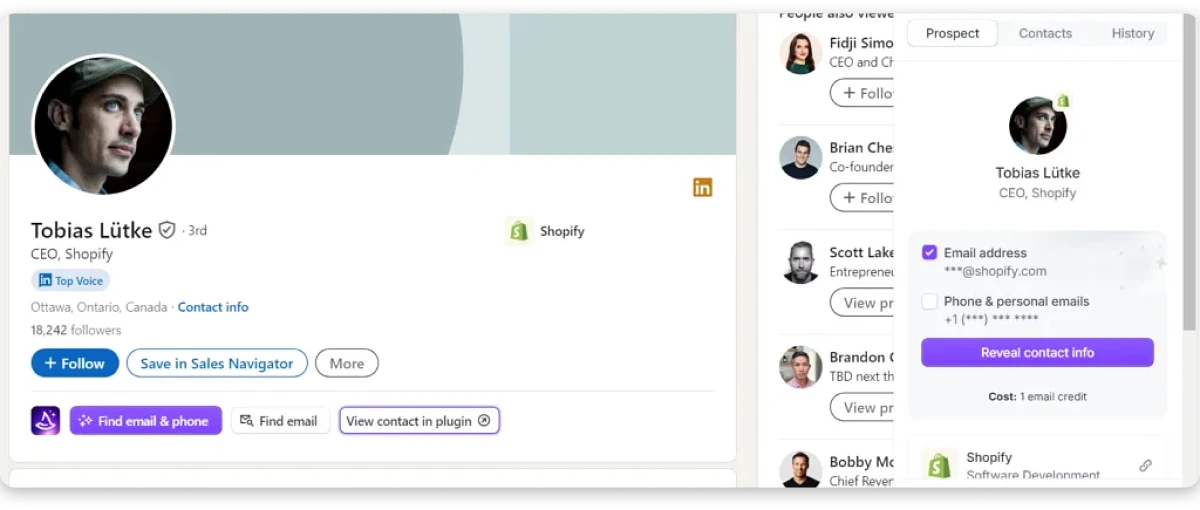
Everything exports to CSV or syncs to Salesforce, HubSpot, and other CRMs.
Pros:
- Real-time verification, under 1% bounce rate
- 850M+ profiles, 30+ filters
- Chrome extension for LinkedIn and Sales Nav
- 40+ enrichment fields per contact
- API plus CRM sync
Cons:
- Pricing starts steep at $83/mo per user
- LinkedIn-focused, weaker on general web
- Free plan credits burn quickly
Pricing:
- Free plan available
- Email: $83/mo/user, unlimited emails
- Email + Phone: $166/mo/user, unlimited emails and phones
9. GetProspect
G2: 3.9 (40+ reviews) · Capterra: 4.4 (90+ reviews) Compliance: GDPR
GetProspect is the LinkedIn and domain email extractor best for teams that need to find verified work emails at scale, run bulk domain uploads up to 50,000, and enrich contacts with job titles and phone numbers from the same platform.
Its database covers 200M+ contacts across 26M+ companies.
Standout Feature: 600 free email credits per month. One of the most generous free tiers on this list.
Bulk workflows handle 2,500 leads per run and domain uploads of up to 50,000.
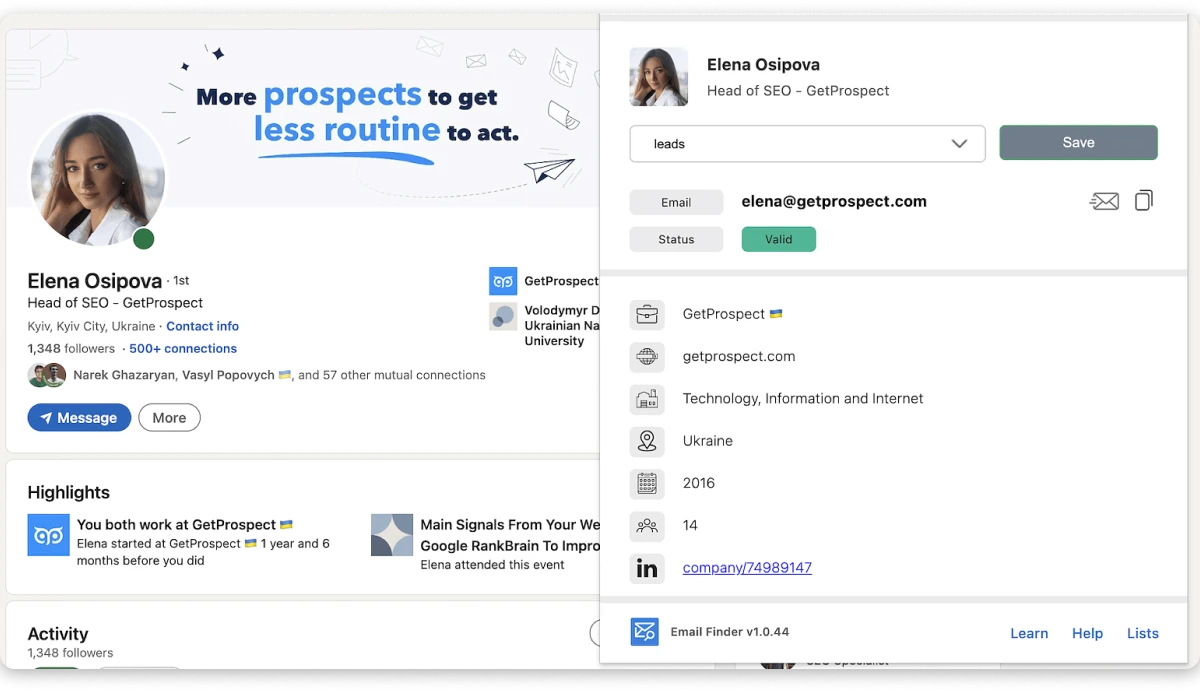
Every email routes through a built-in verifier, and most lists finish at 97%+ deliverability.
Pros:
- 600 free credits/month
- Bulk extraction up to 2,500 leads or 50,000 domains
- Chrome extension for LinkedIn, Sales Nav, websites
- 17+ search filters plus built-in verifier
- API access for custom workflows
Cons:
- G2 rating lower than category leaders
- Data quality dips on smaller regional companies
- Limited native CRM depth
Pricing (Billed Annually):
- Free: 600 credits/mo
- Starter: $25/mo, 1,000 credits
- Growth 5K: $50/mo, 5,000 credits
10. Waalaxy
G2: 4.6 (530+ reviews) · Capterra: 4.4 (250+ reviews) Compliance: GDPR
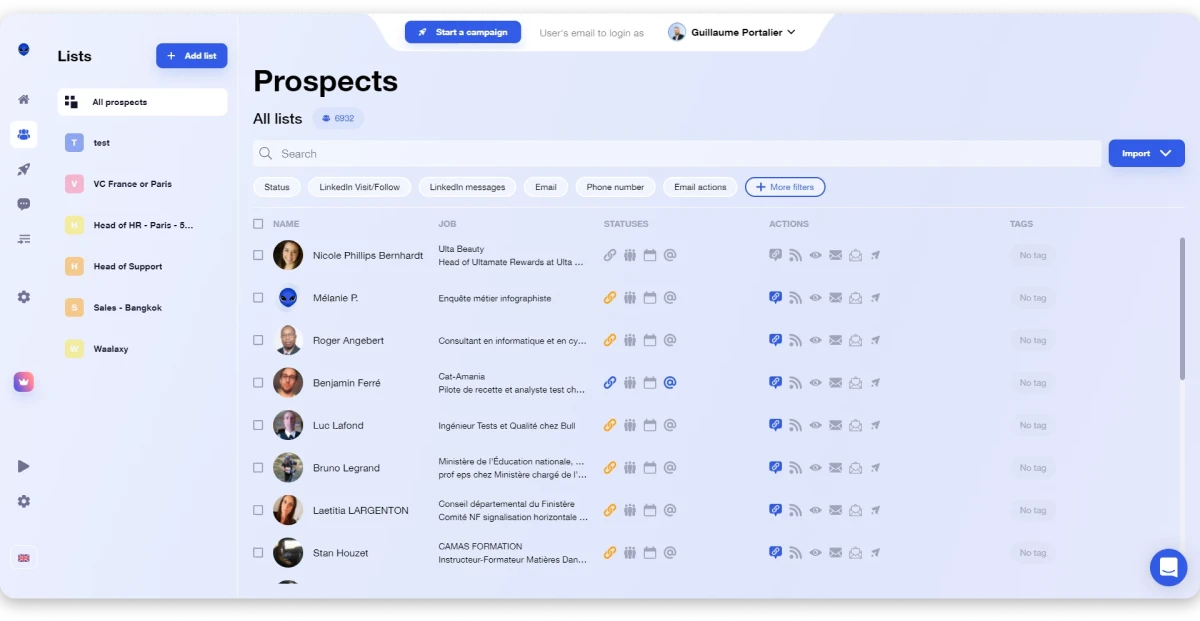
Waalaxy is the LinkedIn email extractor best for teams that need to pull emails from any profile in one click, run waterfall enrichment across 20+ data sources, and launch multichannel outreach from the same platform.
Its email finder runs waterfall enrichment across 20+ data sources.
Standout Feature: Waterfall enrichment across 20+ providers. Delivers 60%+ match rates on LinkedIn with bounce rates under 1%.
Bulk import from Sales Navigator, Recruiter Lite, or CSV. Extracted emails feed into visual multichannel workflows or export to HubSpot, Salesforce, and other CRMs.
Pros:
- Waterfall enrichment across 20+ data sources
- 60%+ match rate, under 1% bounce
- 99+ ready-to-use sequences
- Visual workflow builder with triggers
- AI-assisted message writing
Cons:
- Free tier is only 25 credits
- LinkedIn-only extraction
- Multichannel workflows can overwhelm new users
Pricing:
- Free: 25 credits
- Pro: $21/user/mo
- Advanced: $44/user/mo
- Business: $66/user/mo
11. Evaboot
G2: 4.5 (100+ reviews) · Capterra: 4.6 (80+ reviews) Compliance: GDPR
Evaboot is the Sales Navigator email extractor best for teams that need to export lead lists in one click, auto-clean duplicates and mismatched profiles, and verify every email before it hits the CRM from the same platform.
It filters out leads that do not match your search criteria and cleans the export before it reaches your CRM.
Standout Feature: Auto data cleaning. Evaboot strips duplicates, special characters, and mismatched profiles from every export.
Every email is verified at extraction, and risky addresses get flagged.
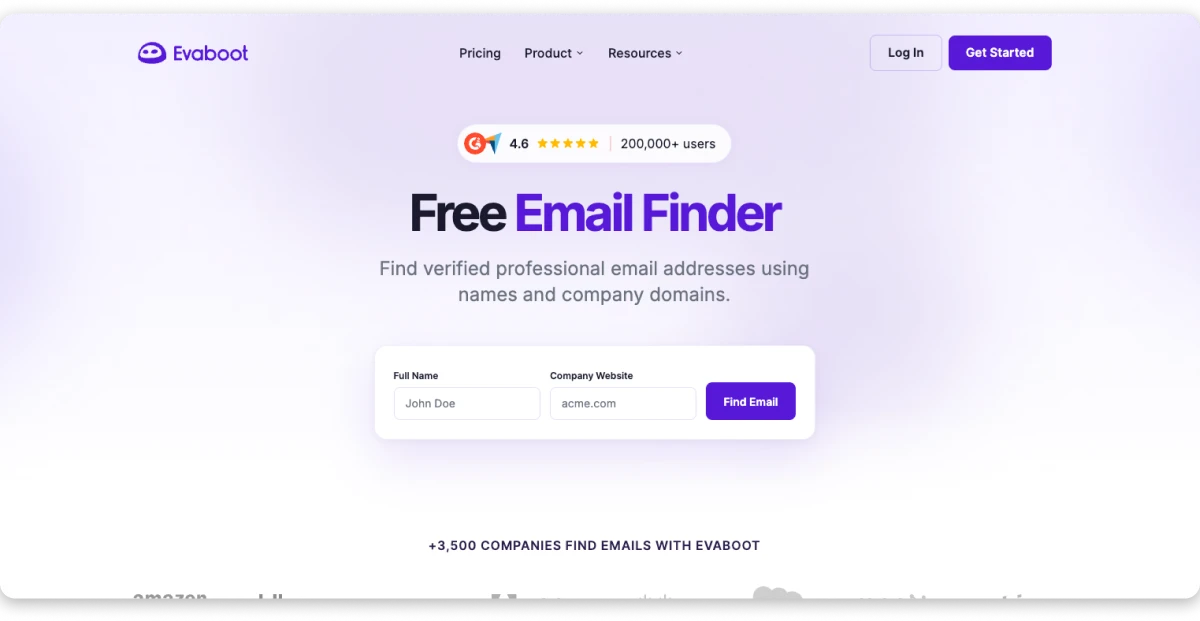
Bulk email verification supports up to 2,500 rows per file.
Pros:
- One-click Sales Navigator exports
- Auto data cleaning removes duplicates and junk
- Built-in email finder plus verifier
- Bulk verification up to 2,500 rows
- Credit rollover between months
Cons:
- Requires a separate Sales Navigator subscription ($99.99/mo+)
- No phone number extraction
- LinkedIn-only, weaker on domain or web
Pricing:
- Starter: $29/mo, 500 credits (250 complete leads)
- Custom plans for higher volumes
12. Apollo.io
G2: 4.8 (7,000+ reviews) · Capterra: 4.6 (360+ reviews) Compliance: SOC 2 Type II, GDPR, CCPA
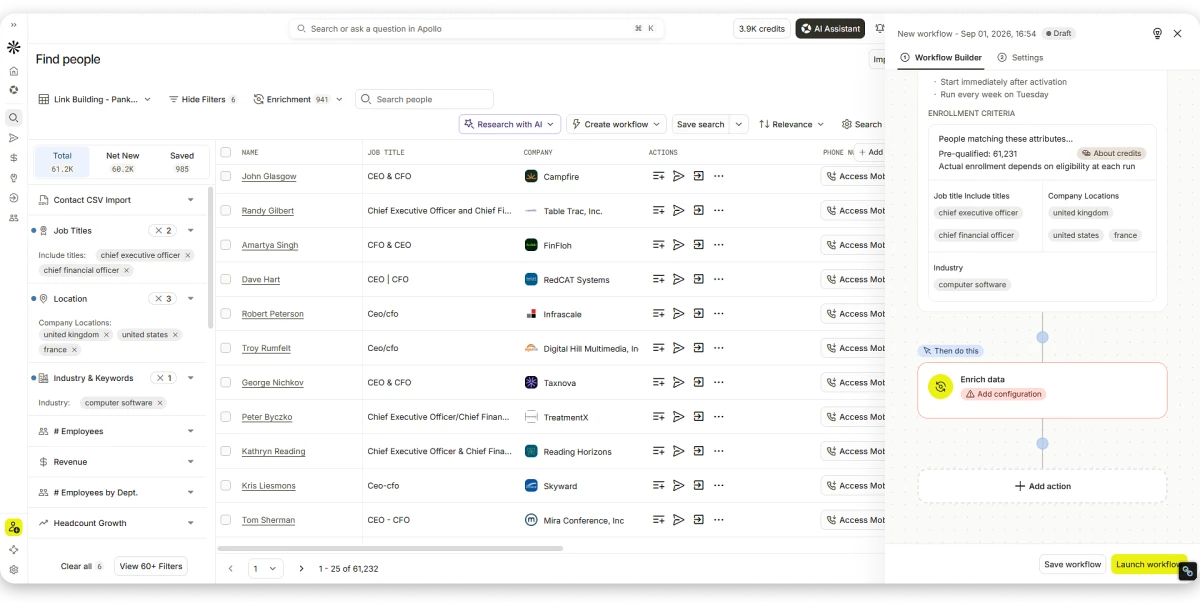
Apollo.io is the B2B database email extractor best for teams that need to search 240M+ contacts, filter with AI plain-language prompts, and run cold email sequences from the same platform.
Standout Feature: AI-powered plain-language search. Describe your ICP in a sentence, and Apollo surfaces matching contacts.
The Chrome extension works across LinkedIn, Gmail, Salesforce, and HubSpot, pulling contact details without tab-switching.
Pros:
- 240M+ contacts with 65+ filters
- AI plain-language search
- Chrome extension across LinkedIn, Gmail, CRMs
- Built-in sequences with follow-up automation
- Confidence scores on every contact
Cons:
- Per-seat pricing gets expensive for teams
- Data quality varies outside North America
- Support response times can lag
Pricing (Billed Annually):
- Free plan with limited credits
- Basic: $49/mo/user
- Professional: $79/mo/user
- Organization: $119/mo/user
13. Cognism
G2: 4.5 (700+ reviews) · Capterra: 4.7 (140+ reviews) Compliance: GDPR-first, CCPA, ISO 27001, SOC 2 Type II
Cognism is the enterprise-grade email extractor best for teams that need GDPR-compliant contact data, phone-verified Diamond Data mobiles, and DNC-checked datasets across the US, UK, and EU from the same platform.
Its Diamond Data phone-verified mobiles and GDPR-compliant contact set make it the go-to for outbound teams selling into Europe.
Standout Feature: Phone-verified mobile numbers plus DNC-checked datasets across the US, UK, and EU. Compliance is baked into every record, not an add-on.
Contact and company data comes with hiring signals, funding events, job change alerts, and Bombora intent data (Pro plan).
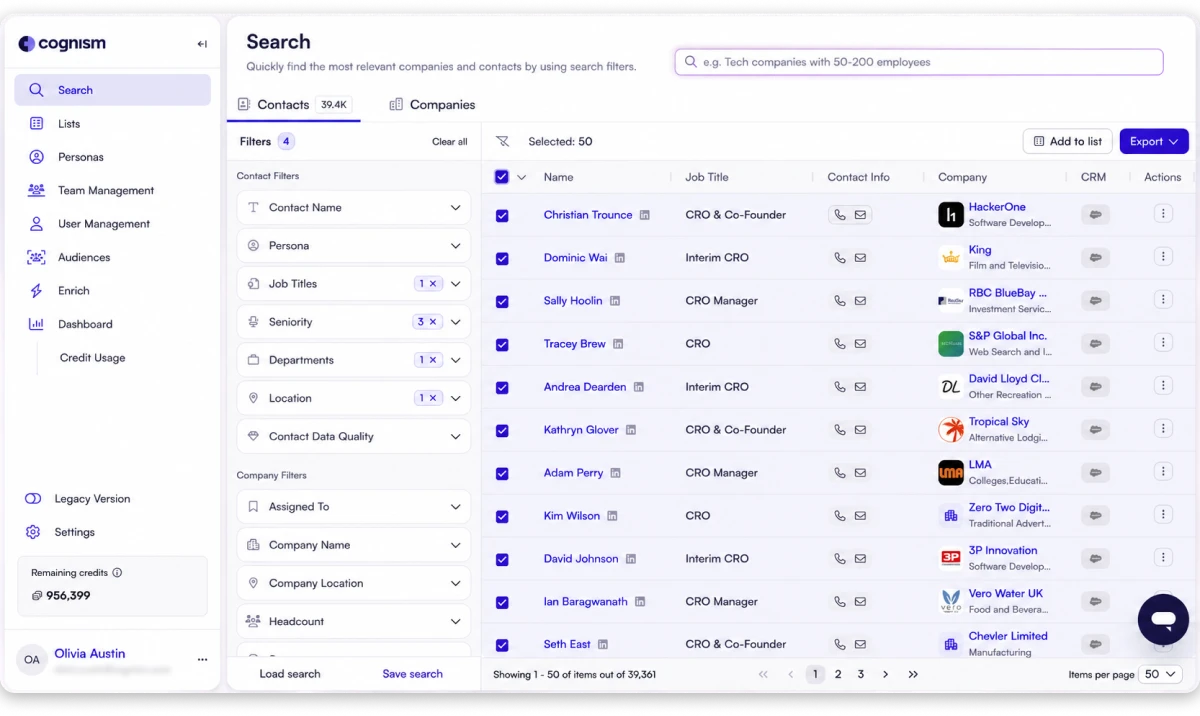
AI search, CSV enrichment, and SSO come standard.
Pros:
- GDPR-first data with DNC checks across the US, UK, and EU
- Phone-verified Diamond Data mobiles
- Buying intent, hiring, funding, and job change signals
- AI-powered company research and persona builder
- Enterprise features: SSO, CRM enrichment, API delivery
Cons:
- No public pricing, custom quote only
- Minimum 5-seat commitments
- Premium price point puts it out of reach for SMBs
Pricing:
- Custom
14. Lusha
G2: 4.3 (1,400+ reviews) · Capterra: 4.0 (350+ reviews) Compliance: GDPR, CCPA, ISO 27701
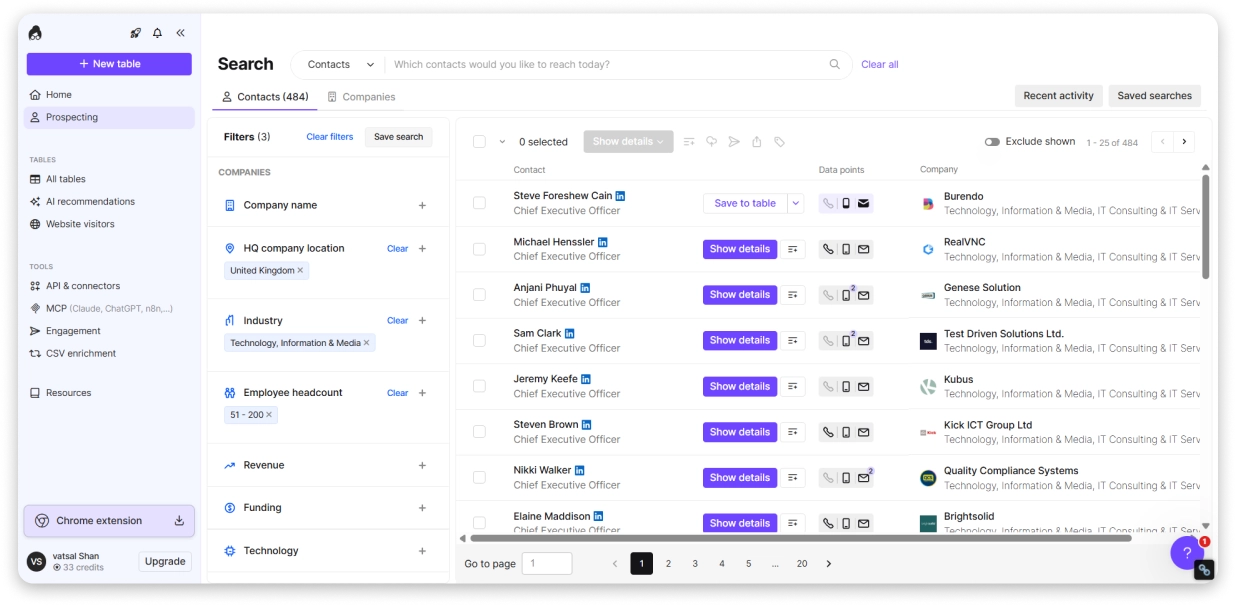
Lusha is the multi-channel email extractor best for teams that need verified emails from LinkedIn, direct-dial phone numbers, and buying intent signals from the same platform.
Standout Feature: Direct-dial phone numbers plus buying intent signals on higher plans. Lusha goes deepest on multi-channel prospecting data.
The free plan gives 50 email credits per month, enough to sample data quality before committing.
Pros:
- Verified emails plus direct-dial phone numbers
- 30+ enrichment fields per contact
- Intent data on higher plans
- Chrome extension on LinkedIn
- One-click CRM export
Cons:
- Free tier caps at 50 email credits
- Per-user pricing stacks for teams
- Intent data locked to higher plans
Pricing (Billed Annually):
- Free: 50 email + 5 phone credits/mo
- Pro: $36/mo/user
- Premium: $59/mo/user
- Scale: custom
15. UpLead
G2: 4.7 (770+ reviews) · Capterra: 4.6 (75+ reviews) Compliance: GDPR, CCPA
UpLead is the email extractor best for teams that need verified emails from a 155M+ contact database, real-time SMTP checks, and automatic credit refunds on bounced addresses from the same platform.
It promises 95% data accuracy and charges you back for any bounced email, so verification risk sits with the vendor rather than your sender score.
Standout Feature: 95% data accuracy guarantee with credit refunds for invalid emails. Real-time email verification runs on every extraction.
You get access to 155M+ contacts across 200+ countries with 50+ search filters.
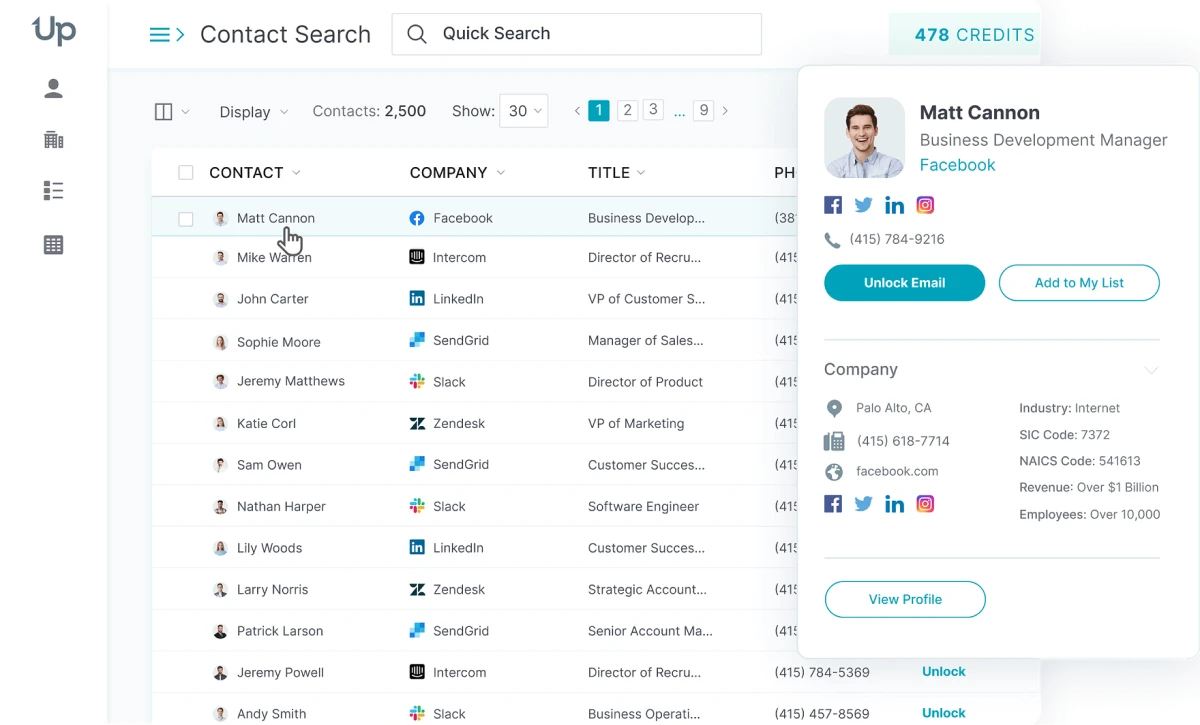
The Chrome extension pulls emails and mobile numbers from LinkedIn, and the API supports enrichment at scale.
Pros:
- 95% accuracy guarantee with credit refunds on bounces
- 155M+ contacts, 200+ countries
- Real-time email verification on every lookup
- Chrome extension for LinkedIn
- Intent data on higher plans
Cons:
- Free trial is only 5 credits over 7 days
- Credits do not roll over on lower plans
- Extra credits cost $0.50 to $0.60 each
Pricing (Billed Annually):
- Free trial: 5 credits over 7 days
- Essentials: $74/mo
- Plus: $149/mo
- Professional: custom
16. Clearout
G2: 4.7 (200+ reviews) · Capterra: 4.7 (30+ reviews) Compliance: GDPR, ISO 27001, SOC 2 Type II
Clearout is the extract-and-verify email extractor best for teams that need to pull emails from LinkedIn and B2B lists, run 99%+ verification in real time, and keep unused credits without expiry from the same platform.
Standout Feature: Credits that never expire. Whether you buy pay-as-you-go or subscribe, unused credits carry forward with no reset.
The LinkedIn Chrome extension pulls verified emails from profiles, and the Prospect module builds SQL/MQL lists with real-time enrichment.
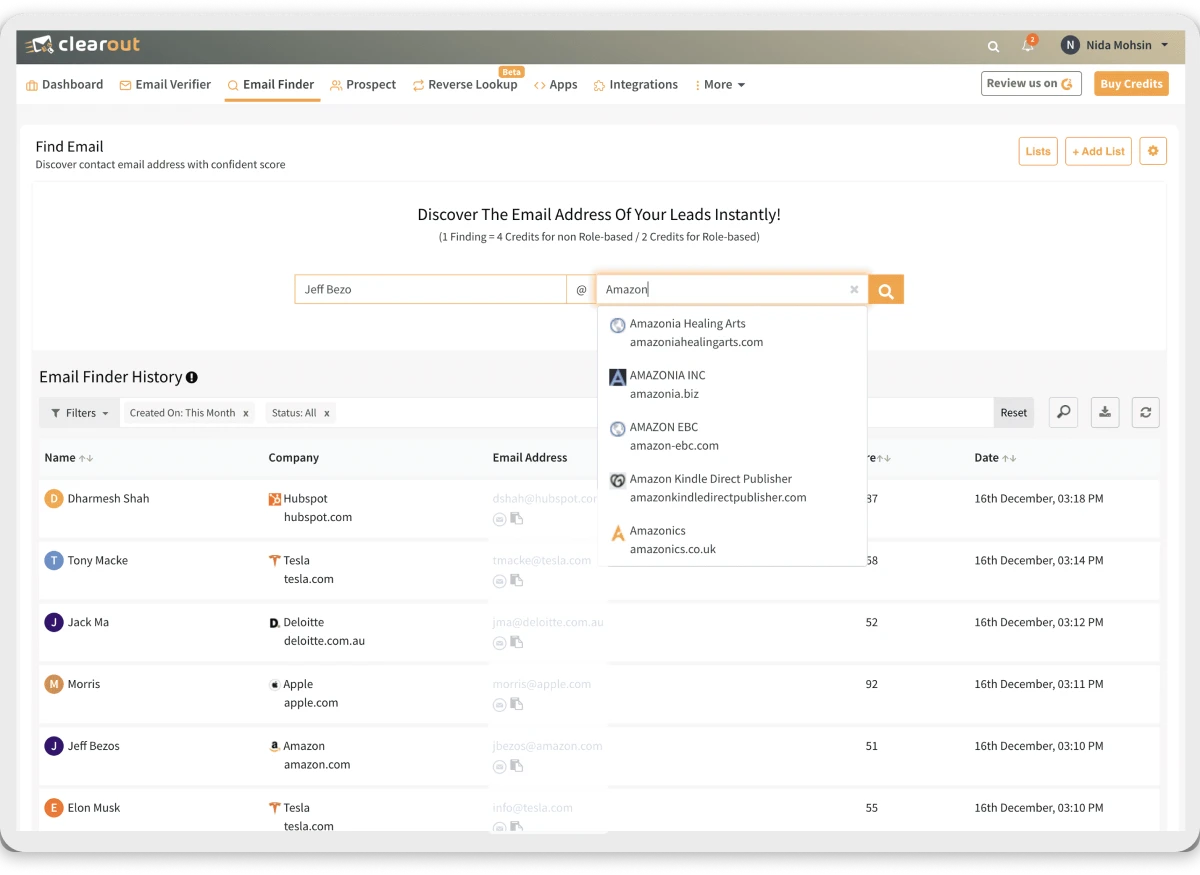
Form Guard blocks bad emails at signup, and Data Pulse monitors CRM records for decay.
Pros:
- 99%+ email verification accuracy
- Credits never expire on any plan
- LinkedIn Chrome extension for prospecting
- Real-time API and Google Sheets add-on
- Form Guard and Data Pulse for ongoing list hygiene
Cons:
- Smaller B2B database than dedicated prospecting tools
- Interface leans technical for non-verifiers
- Deep features require API knowledge
Pricing:
- Free: 100 credits
- Starter: $16/mo
- Pro 10k Credits: $32/mo
- Enterprise: Custom
How to Choose the Right Email Extractor for Your Needs
With 17 tools on this list, the right choice comes down to how you actually prospect. Here is a simple framework to narrow it down.
- Start With Your Primary Source
- Match the Tool to Your Volume
- Check Verification Quality
- Think Beyond the Extraction
- Check Compliance
- Factor in the Real Cost
1. Start With Your Primary Source
Where do you find prospects most often? If it is LinkedIn, go with a Chrome extension like Wiza, Lusha, or other. If you prospect by company or domain, Hunter.io or Snov.io will serve you better. If you need a full B2B database to search from scratch, Saleshandy Lead Finder or Apollo.io are the right starting point.
2. Match the Tool to Your Volume
If you are extracting a few hundred contacts a month, most tools on this list will work within a free or starter plan.
If you need thousands of contacts per month across multiple campaigns, you need a tool with bulk extraction, credit rollover, and a large enough database.
Saleshandy Lead Finder handles this well, up to 10,000 contacts in a single extraction, with unused credits rolling over each month.
3. Check Verification Quality
A list of unverified emails will hurt your deliverability and get your domain flagged. Always pick a tool that offers real-time verification or double-verification before the contact hits your list. Saleshandy Lead Finder, Wiza, and Hunter.io are strong here.
4. Think Beyond the Extraction
Most tools give you a CSV and stop there. If you want to go from extracted contact to active sequence without switching platforms, you need a tool that connects extraction to outreach.
Saleshandy Lead Finder does this natively. Found leads go straight into Saleshandy CRM and sequences without any manual import.
5. Check Compliance
If you prospect into Europe, GDPR compliance is non-negotiable. Look for tools that are SOC 2, ISO 27001, and GDPR certified. Saleshandy Lead Finder, Snov.io, Wiza, and Lusha all meet this standard.
6. Factor in the Real Cost
Per-seat pricing adds up fast for growing teams. Saleshandy Lead Finder uses flat credit-based pricing with no per-seat fees, which makes it significantly more cost-effective at scale compared to tools like Apollo.io or Lusha that charge per user.
Extract Email Addresses from All-in-One Platform
You’ve now seen the top tools that help you find emails across websites.
Each tool brings its own method, but many still ask you to jump between steps or platforms.
A single setup removes that effort.
You get emails, check them in real time, enrich details, and start outreach from one place.
If you want a quick starting point, try Saleshandy’s Lead Finder.
It gives you verified emails, built-in checks, and free credits to explore the full flow.
You can collect leads and start sending cold emails within minutes.
FAQs About Email Extractors
1. Are email extractor tools legal to use?
Yes, email extractors are legal when they follow GDPR, CCPA, and basic privacy rules. You just need to use the data responsibly and respect opt-out requirements.
2. How do email extractors find emails from LinkedIn profiles?
Tools like Wiza and Waalaxy match public LinkedIn data with verified email databases. They identify patterns and confirm accuracy before showing the final email.
3. How accurate are email extractors?
Accuracy depends on the tool and its data sources but usually stays above 90%. Platforms using real-time checks, like Wiza and GetProspect, offer stronger results.
4. How do these tools verify email addresses in real time?
They check server responses, MX records, and inbox availability for each email. Tools like Saleshandy also use additional checks to prevent risky addresses.
5. Which email extractor is best for LinkedIn?
Wiza, Waalaxy, and Dripify work well because they offer reliable Chrome extensions. These extensions extract emails directly from profiles and validate them quickly.
6. Can these tools reduce bounce rates for cold outreach?
Yes, clean lists from verified email tools help reduce bounce issues. Saleshandy is useful here because it combines extraction with strong verification.
7. How accurate are email extractors in 2026?
Database and AI-based extractors hover between 90 and 99% accuracy when paired with real-time verification. Clearout, Wiza, and UpLead lead on accuracy guarantees. Regex-only text extractors run lower at 60 to 80% because they cannot validate what they grab.
8. Which email extractor has the lowest bounce rate?
Wiza (under 1%), Waalaxy (under 1% via triple verification), Clearout (99%+ verification), and Saleshandy Lead Finder (double-verified, under 2%) deliver the lowest bounce rates because they verify at extraction time against live SMTP.
Yes. Evaboot is purpose-built for Sales Navigator with one-click exports and auto-cleaning. Wiza, Skrapp, Waalaxy, Kaspr, GetProspect, and Saleshandy’s LinkedIn extension also pull emails from Sales Nav searches and lead lists.


 Anil Salvi