


Email finder tools help you search for anyone’s email address if you have their name and company.
That’s it.
Type a person’s name and a company name, and you get their email address in seconds.
The problem is that every tool claims 97% or 98% accuracy. Almost none of them publish how they measured it.
So I ran my own test. I gave 14 email finder tools the same list of 50 B2B contacts, name and company domain only, then ran every returned address through a third-party verifier.
Here is what I found:
- Which tools actually returned a valid email, and which returned addresses that bounced
- What you can find for free on each one, including three that need no signup at all
- Which tools charge you a credit even when the result is unverified
- What each one costs once the free credits run out
Whether you are finding emails for sales, recruiting, or link building outreach, you will find the right email search tool for your use case.
Let’s get into it.
Email Finder Tools – TOC
Best Head-to-Head Email Finder Tools Comparison
In this table, get a quick glimpse of the top email finder tools that help you get verified email addresses in seconds.
| Email Finder Tool | Free Emails You Can Find | Accuracy of Found Emails | Starting Price |
|---|---|---|---|
| Saleshandy | 50 | 98% | $34/mo |
| Hunter | 50 | 95% | $34/mo |
| Apollo.io | 75 | 84% | $49/user/mo |
| Snov.io | 50 | 82% | $39/mo |
| Findymail | 10 | 90% | $99/mo |
| Skrapp.io | 50 | 88% | $29/mo |
| Anymail Finder | 100 | 80% | $29/mo |
| GetProspect | 50 | 92% | $49/mo |
| Tomba | 25 | 75% | $49/mo |
| VoilaNorbert | 50 | 81% | $39/mo |
| Lusha | 40 | 88% | $37.45 |
| UpLead | 5 | 90% | $74/mo |
| Mailmeteor | Unlimited | 70% | Free |
| SignalHire | 10 | 75% | $57/mo |
14 Best Email Finding Tools I Tested (Free and Paid)
For this, I used 50 contacts from one of my own outbound campaigns. A mix of US and UK, some founders, some mid-level managers, at companies ranging from twenty people to a few hundred.
I picked that mix on purpose. Any tool can find a founder at a well-known company. It gets interesting when you ask for a marketing manager at a thirty-person agency nobody has heard of.
Every tool got the same file and the same two inputs: a full name and a company domain. Then I put every address that came back through a separate verifier, because I was not going to let each tool grade its own results.
Below you will find the exact steps I followed in each one, so you can run the same thing on your own list.
1. Saleshandy
G2 rating: 4.6/5 ⭐
Saleshandy is the best email finder for verified professional emails, with 98% verification accuracy.
You can search 852M+ contacts by name or domain, apply 75+ filters, and get verified work emails and phone numbers in seconds.
How to find email addresses in Saleshandy’s database
- Step 1: Open Lead Finder
- Step 2: Enter a full name and company domain, or use any of 75+ filters like job title, seniority, headcount, tech stack, hiring signals, and funding stage.
- Step 3: Run the search and pick the contacts you want from the results.
- Step 4: Click View Email to reveal the work email, or View Personal Email for a personal address.
- Step 5: After verifying the email address in real time, it will display the valid email ID for you.
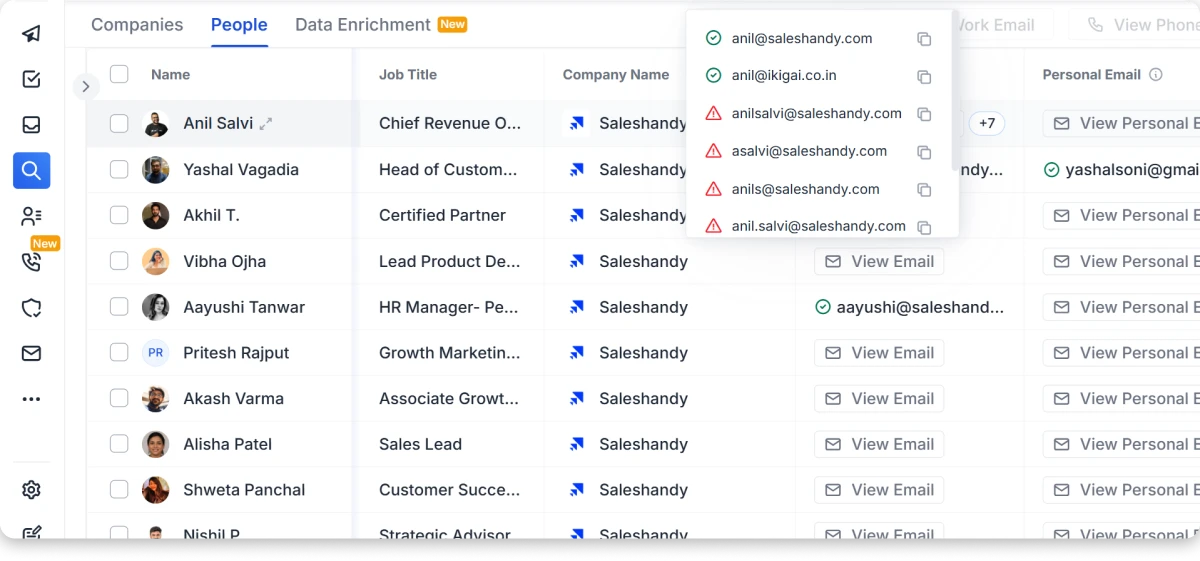
You often get more than one address for the same person. A green tick means it’s verified and safe to send to. A red flag means the server would not confirm it, so I left those out of my main list.
And the best part?
You are not paying for dead ends. If Saleshandy cannot find an email for that contact, nothing gets deducted.
If you already have a list of names sitting in a spreadsheet, you can upload the CSV and Saleshandy fills in the work emails, personal emails, and phone numbers against them. I did this with an old export where half the addresses had gone stale, and it was faster than searching each one.
There is also an AI search, where you type the list you want in plain language instead of setting each filter by hand.
Pros
- Work email and personal email both available on the same contact
- Real-time enrichment at reveal, not a static stored list
- Verified and risky results clearly marked before you send
- Multiple email addresses returned per person
- Search by name, by domain, or by buyer profile with 75+ filters
- CSV enrichment for lists you already have
- Bulk search up to 100 names or domains at once
- AI search in plain language
- No credit deducted when no email is found
Cons
- Free trial is 50 credits over seven days.
Pricing
- Starter: $34/mo
- Pro: $76/mo
- Scale: $149/mo
- Enterprise: Custom
2. Hunter
G2 rating: 4.4/5 ⭐
Hunter is a solid email lookup tool for finding company contacts, with domain search and no signup needed.
If you just need one email quickly, you can run a search without creating an account at all.
How to find email addresses in Hunter
- Step 1: Open Email Finder and enter a full name plus company domain
- Step 2: Or switch to Domain Search and enter just the domain to see everyone at that company
- Step 3: Check the confidence score on each result before you use it
- Step 4: Use Bulk Email Finder for a list, or the Google Sheets add-on to work inside a spreadsheet
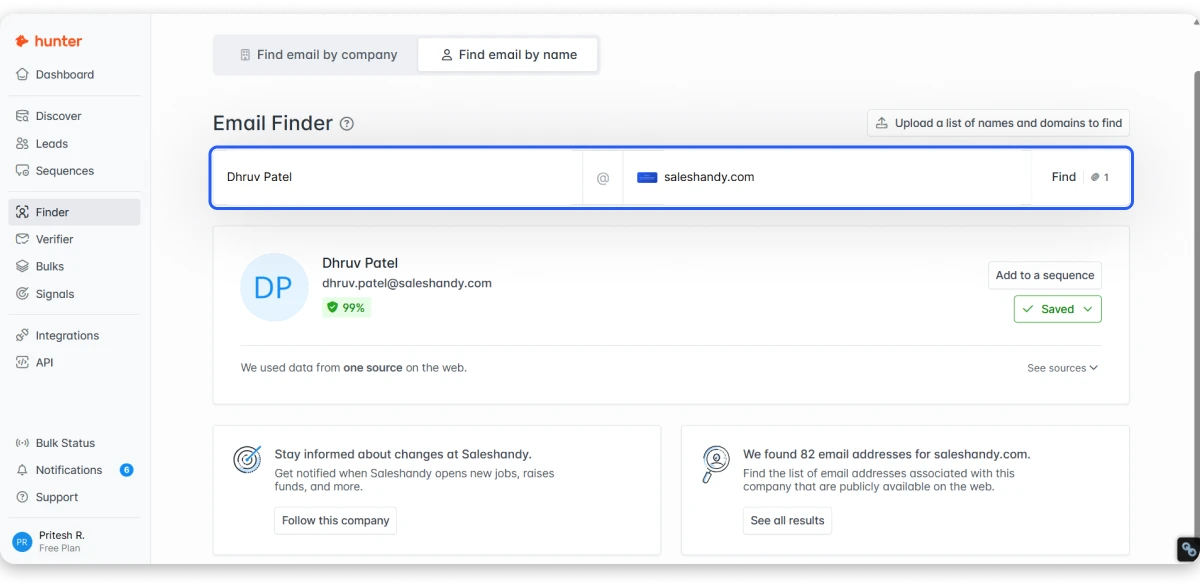
Hunter publishes no accuracy percentage. I looked on the homepage, the finder page, the verifier page, and the API docs.
At first,t that looks like a gap. It is the opposite. Most email lookup software gives you a number and no method. Hunter gives you the nine checks every address goes through, including a real SMTP validation, and a confidence score on each result so you set your own threshold.
And if the finder comes back with nothing, you are not charged for it.
Pros
- Three tools usable with no account at all
- 50 free credits every month, not a one-off trial
- Failed searches are free
- Confidence score on every result
- Domain search, bulk tasks, Sheets add-on, Chrome, Firefox,x and Edge extensions
Cons
- Credits do not carry over on monthly plans
- It doesn’t provide phone numbers
Pricing
- Free: $0
- Starter: $34/mo
- Growth: $104/mo
- Scale: $209/mo
- Enterprise: Custom
Suggested Read: Hunter.io Alternatives
3. Apollo.io
G2 rating: 4.7/5 ⭐
Apollo.io is a strong email finder for sales teams, backed by a 240M+ B2B email database.
Apollo is less a finder and more a database you search through. If you already know the person, it is overkill. If you are building a list from scratch, it earns its place, and it does more than most email lookup platforms bundle in.
How to find email addresses in Apollo
- Step 1: Open Search and set filters across 65+ options
- Step 2: Or use the Chrome extension while browsing a company site
- Step 3: Reveal the contacts you want
- Step 4: Export or push to your CRM
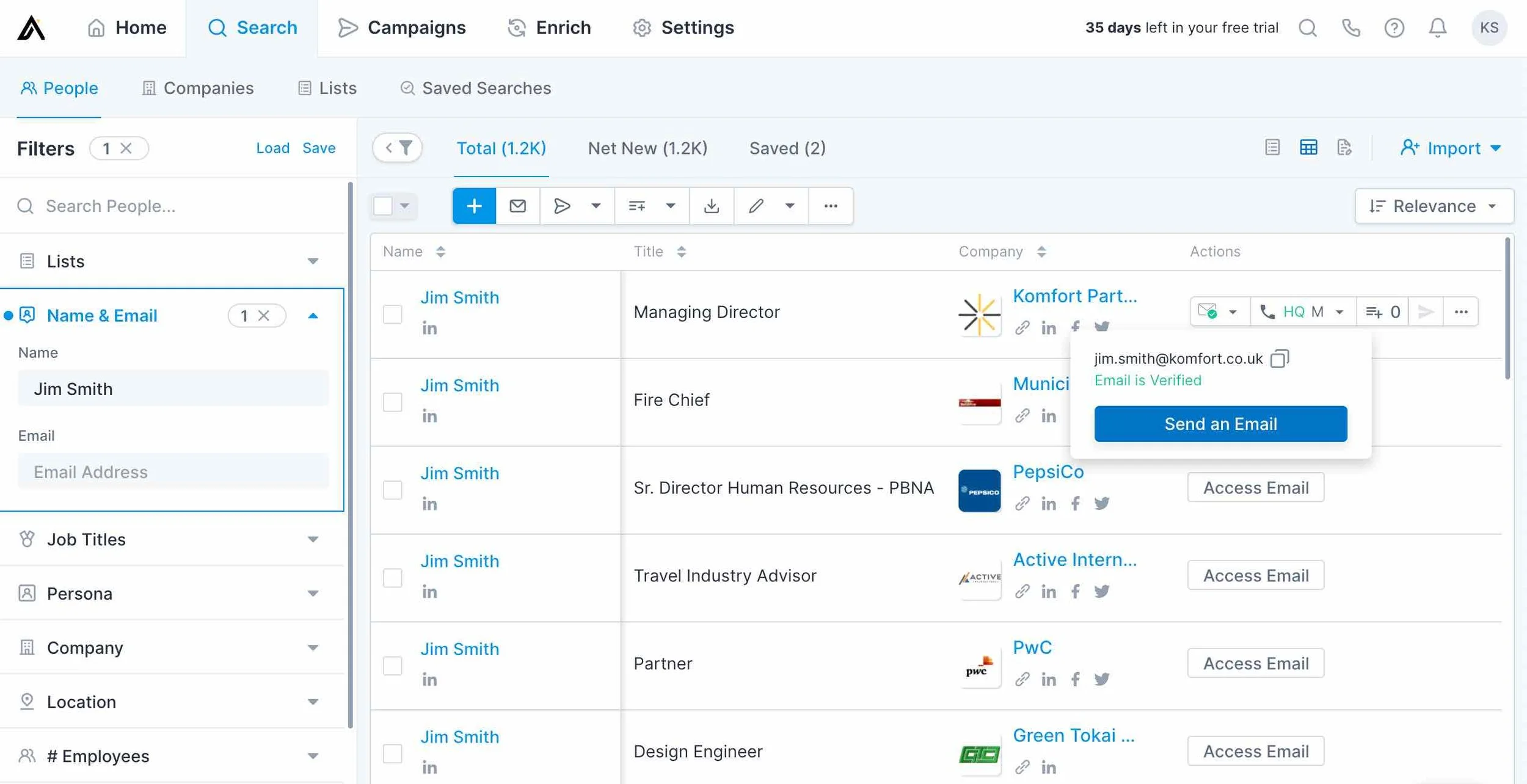
The free plan is genuinely free, not a trial, and gives you 900 credits a year.
Where it caught me out: a mobile number costs 8 credits on top of the 1-credit base. Nine times the price of an email. And credits expire at the end of each billing cycle with no rollover, which their own knowledge base states plainly.
Pros
- Free forever plan with 900 credits a year
- 65+ search filters
- 30,000 credits a year on the entry paid plan
- Well-documented API with per-endpoint credit costs published
Cons
- Credits expire every cycle, no rollover
- Mobile numbers cost 9x an email
- Priced per user, unlike most tools here
Pricing
- Free: $0
- Basic: $49/user/mo
- Professional: $79/user/mo
- Organization: $119/user/mo
Bonus Read: Apollo.io Alternatives
4. Snov.io
G2 rating: 4.5/5 ⭐
Snov.io is an excellent email search tool for finding emails by name and company, with verification built into every search.
How to find email addresses in Snov.io
- Step 1: Enter a name and company domain, or search by company name alone
- Step 2: Or paste a LinkedIn search URL and let it pull the list
- Step 3: Read the traffic-light status on each result
- Step 4: Export, or run a bulk search if you are on a paid plan
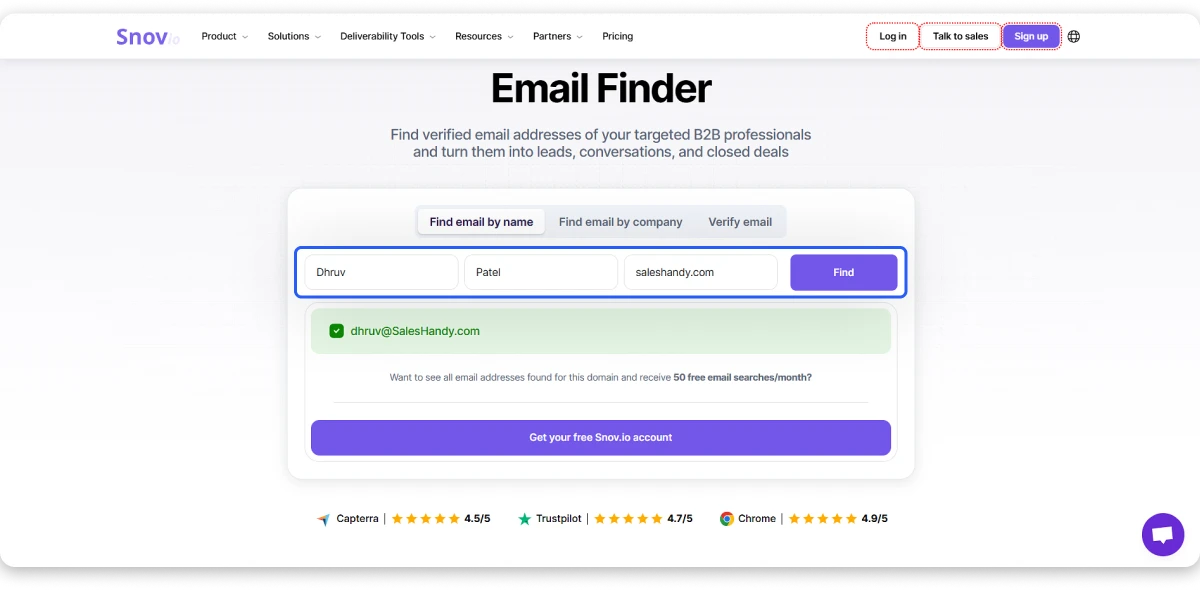
Green means valid, yellow means unverifiable, red means invalid. Clear enough.
Here is the catch, and it is the loosest credit policy of any email lookup service here. You pay a credit for yellow results too.
So an address Snov could not verify costs you the same as one it could. Nothing is charged when no address is found at all, but “found but unconfirmed” gets billed like a win.
Pros
- 50 free credits every month
- 1,000 credits at $39, one of the better ratios here
- LinkedIn search URL as an input
- Verification built into the same subscription
Cons
- Unverifiable results still consume a credit
- Bulk search and API locked behind paid plans
- Phone data sold as a separate token add-on outside every plan
Pricing
- Starter: $39/mo
- Pro S: $99/mo
- Pro M: $189/mo
- Pro L: $369/mo
Bonus Read: Snov.io Alternatives
5. Findymail
G2 rating: 4.9/5 ⭐
Findymail is a reliable email finder for b2b outbound prospecting, with a bounce rate guarantee under 5%.
How to find email addresses in Findymail
- Step 1: Enter a full name and domain, or a company name
- Step 2: Or use the Chrome extension on a LinkedIn profile
- Step 3: Upload a CSV for bulk
- Step 4: Or describe your ICP in plain language with IntelliMatch
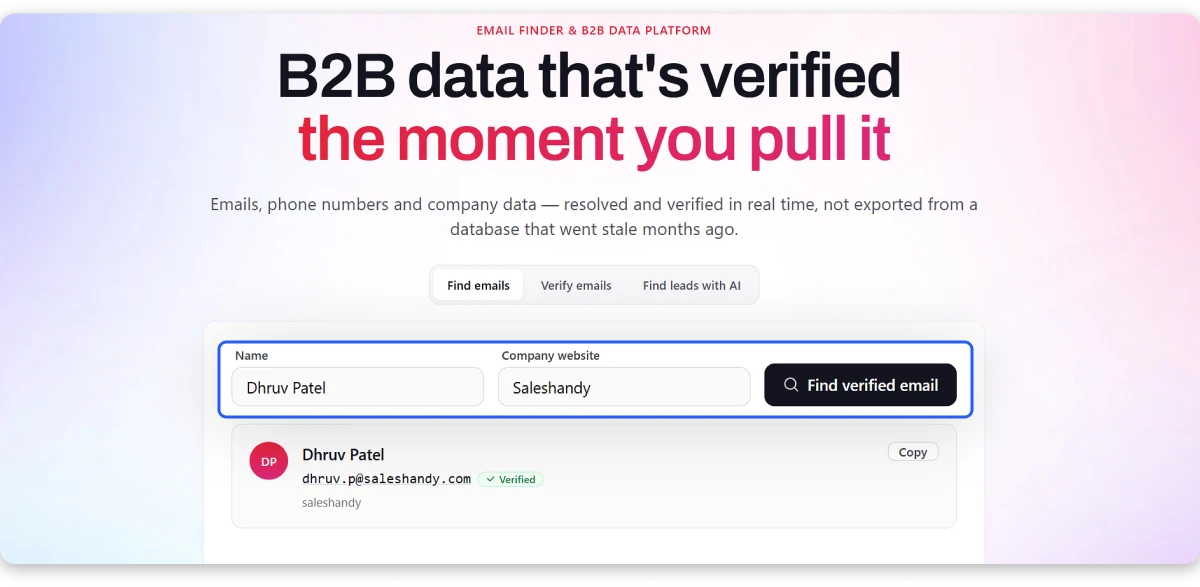
Verification happens at the moment you search, not against a stored database. Syntax, SMTP, MX records, catch-all validation, spam trap detection.
The guarantee is the part that matters. If your bounce rate goes above 5%, they refund your credits. Only two tools here put a number and a refund behind their claim.
You only pay when it finds something. Same on phone lookups.
Pros
- Bounce rate guarantee under 5% with credits refunded
- Real-time verification, not database lookup
- Pay only for results, on emails and phones
- Credits roll over up to 2x your monthly allowance
- Seven API endpoints, including reverse email lookup
Cons
- $99 entry, three times most tools here
- Only 10 free credits to test with
- Phone numbers unavailable for EU contacts
Pricing
- Starter: $99/mo
- Enterprise: Custom
Bonus Read: FindyMail Alternatives
6. Skrapp.io
G2 rating: 4.5/5 ⭐
Skrapp.io is the best email address finder for LinkedIn outreach, pulling verified emails from profiles and Sales Navigator.
If your prospecting lives inside LinkedIn, this is the one.
How to find email addresses in Skrapp
- Step 1: Install the extension and open a LinkedIn profile, Sales Navigator lead list, or Recruiter search
- Step 2: Click to extract emails from the whole list
- Step 3: Or use the web app with a name and domain
- Step 4: Upload CSV or Excel for bulk
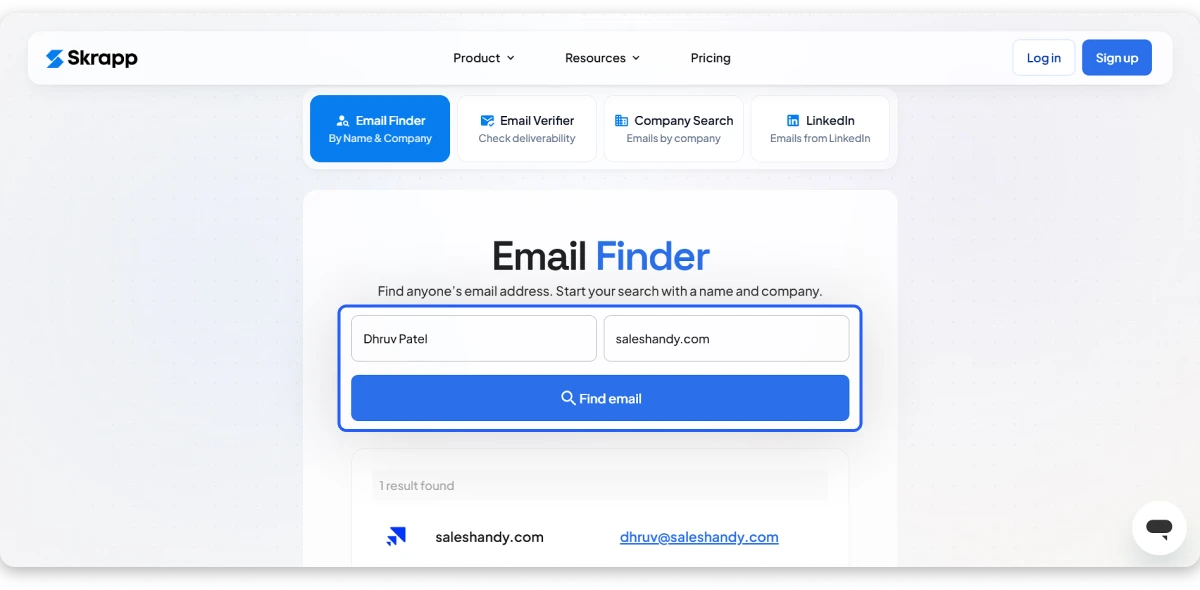
Nothing else here covers standard LinkedIn, Sales Navigator Core, Advanced and Advanced Plus, and Recruiter. Skrapp does all of them.
Their Fair Credit Policy means Invalid and Unknown results do not charge you. Only Valid and Catch-all do. Worth noting that it is listed as a Professional plan feature, not a free plan one.
Pros
- Deepest LinkedIn and Sales Navigator coverage in this list
- Cheapest entry at $29/mo for 2,000 credits
- Invalid and Unknown results are free
- Credits roll over on paid plans
Cons
- No phone numbers anywhere in the product
- API returns no credits on the free plan
Pricing
- Professional: $29/mo
- Enterprise: $262/mo
7. Anymail Finder
G2 rating: 4.5/5 ⭐
Anymail Finder is a strong bulk email finder for finding contacts at scale, charging credits only on valid results.
How to find email addresses in Anymail Finder
- Step 1: Enter a name and company, or a domain to find decision-makers
- Step 2: Upload CSV or Excel, up to 100,000 rows
- Step 3: Or use the Chrome extension on a LinkedIn profile
- Step 4: Results come back verified live against the mail server
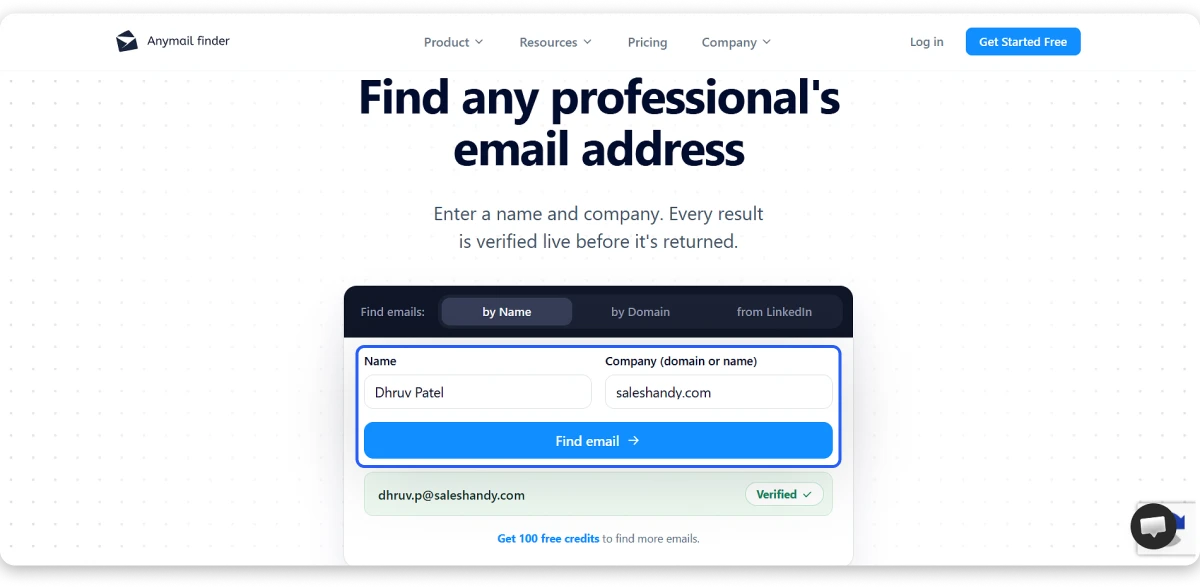
This is the only tool in this comparison that published a proper benchmark. 5,000 contacts, 14 tools, every returned email checked by three independent verifiers, methodology and dataset public.
They also disclosed that they were one of the tools tested. That disclosure is why I trust the number more than the ones without it, even though it is still their own study.
Credits only move on a valid, deliverable email. Repeat searches within 30 days are free.
Pros
- 100 free credits, most generous trial here
- Published benchmark with third-party verification
- Pay only for verified emails
- Balance keeps accumulating while you are subscribed
- Bulk to 100,000 rows
Cons
- Trial requires card verification
- No phone numbers
- Enrichment limited to name, title, and LinkedIn URL
Pricing
- 400 credits: $29/mo
- 1,000 credits: $49/mo
- 5,000 credits: $149/mo
- 25,000 credits: $299/mo
8. GetProspect
G2 rating: 4.0/5 ⭐
GetProspect is a solid search engine for email addresses, with every feature unlocked on the free plan.
Most email lookup services gate their better features behind a paid tier. GetProspect does not, and they say so outright: every plan, including Free, gets equal access to all features.
How to find email addresses in GetProspect
- Step 1: Enter a full name and company name or domain
- Step 2: Or use the LinkedIn extension to export up to 2,500 leads from Sales Navigator
- Step 3: Upload a CSV with names, domains, or LinkedIn URLs to enrich
- Step 4: Results run through a 12-step verification
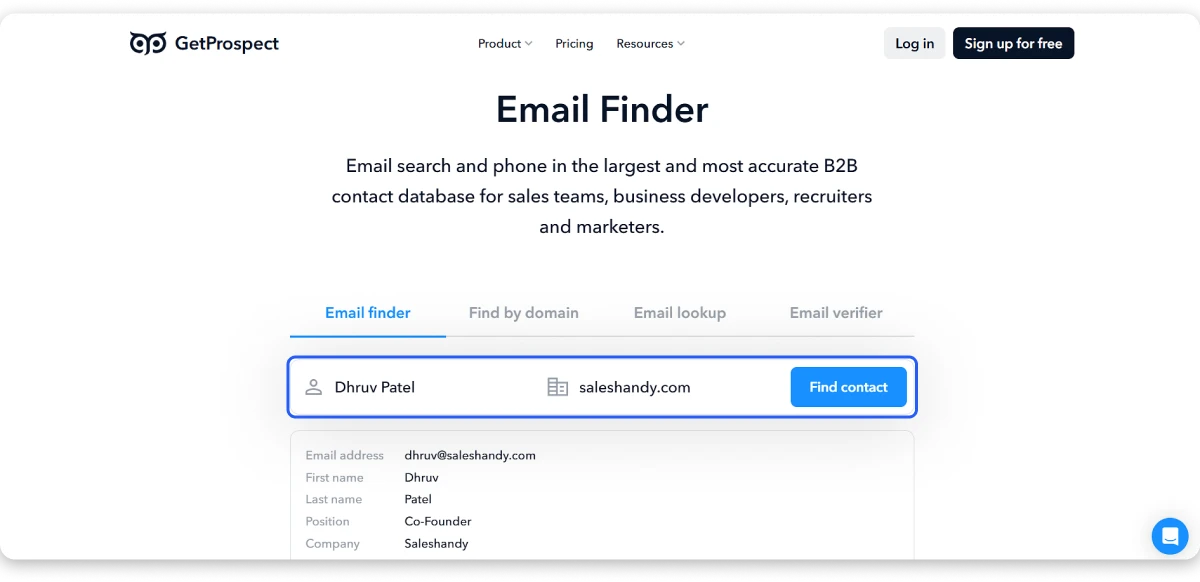
Credits only get charged on a valid found email. Not on invalid, not on accept-all, not on a miss.
One thing to watch: their verification credits work differently and charge on any result status, valid or not.
Pros
- Every feature available on the free plan
- 50 free email credits every month
- 12-step verification including catch-all handling
- No charge for invalid or not-found emails
Cons
- Only 5 phone credits on both entry tiers
- Verification credits charge regardless of result
Pricing
- Free: $0
- Starter: $49/mo
- Growth 5k: $99/mo
- Growth 20k: $199/mo
9. Tomba
G2 rating: 4.7/5 ⭐
Tomba is an excellent email finder for contact search on catch-all domains, where most tools return nothing.
Catch-all domains accept any address you throw at them, so most finders give up and mark the result unknown. Tomba resolves them, and that is the reason to look at it.
How to find email addresses in Tomba
- Step 1: Try three searches with no signup at all
- Step 2: Enter a name and domain, or run Domain Search for a whole company
- Step 3: Paste a LinkedIn or Sales Navigator profile
- Step 4: Bulk up to 10,000 items at once
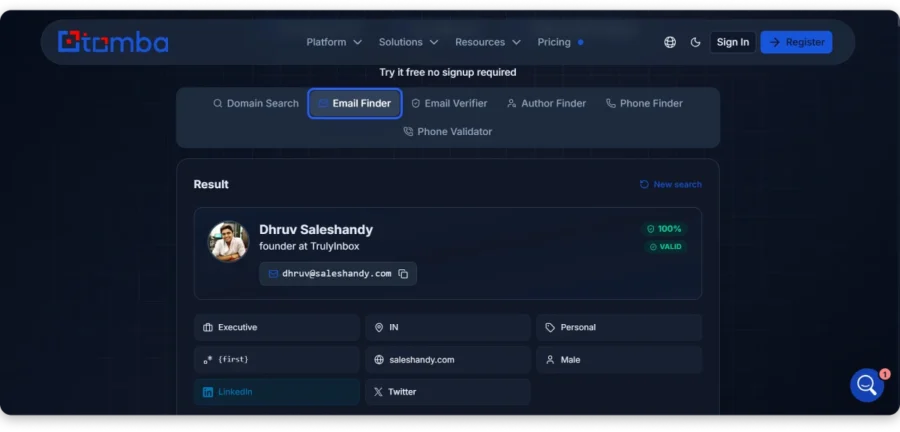
Every result comes back with the public source URLs where the email was found, plus the date it was discovered. Nobody else in this list shows you that.
If it cannot find a valid email, the search is free. Identical searches within 30 days do not count twice either.
Pros
- Resolves catch-all domains other tools skip
- Only email lookup software here that shows source URLs and discovery dates
- 3 searches with no signup, 25 free every month after
- Free searches when nothing is found
- Extensions for five browsers, plus Sheets and Excel add-ons
Cons
- Hard API rate limits on lower plans, 5 requests a day on free
- Phone lookups cost 5x an email
- Pricing pages contradict each other on plan names
Pricing
- Basic: $49/mo
- Growth: $89/mo
- Pro: Custom
- Enterprise: Custom
10. VoilaNorbert
G2 rating: 4.6/5 ⭐
VoilaNorbert is a reliable email finding tool for bulk email lists, with bulk and API access on every paid plan.
How to find email addresses in VoilaNorbert
- Step 1: Enter first name, last name, and company domain
- Step 2: Or upload a CSV, map your columns, and run the list
- Step 3: Download results as CSV or straight to Google Sheets
- Step 4: Use the Chrome extension on LinkedIn
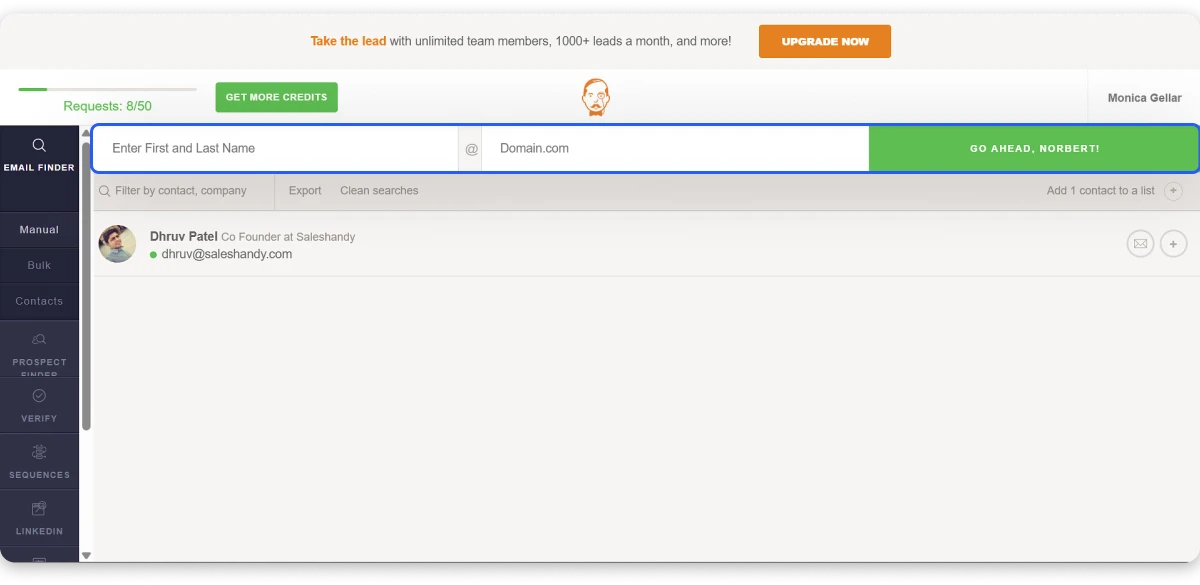
Most tools make you upgrade before you get bulk processing or API access. Here you get both on the $39 entry plan, along with unlimited team members and 50 bulk workers.
The eight-step verification is published in full, including an SMTP authentication test, and results carry a certainty score.
Pros
- Bulk and API included on every paid plan
- Unlimited team members even at entry
- Credit rollover on all tiers
- Eight-step verification published openly
Cons
- 1,000 leads a month at $49 is thin for the price
- Verification and enrichment billed separately from finder credits
- Their strongest accuracy claim rests on a test from 2023
Pricing
- Valet: $39/mo
- Butler: $79/mo
- Advisor: $199/mo
- Counselor: $399/mo
11. Lusha
G2 rating: 4.3/5 ⭐
Lusha is a strong email and phone number finder for sales, with verified contact data and full compliance certification.
How to find email addresses in Lusha
- Step 1: Use the extension on LinkedIn, Sales Navigator, Salesforce, or any website
- Step 2: Or upload a CSV with names, companies,s or LinkedIn URLs
- Step 3: Reveal contacts and export
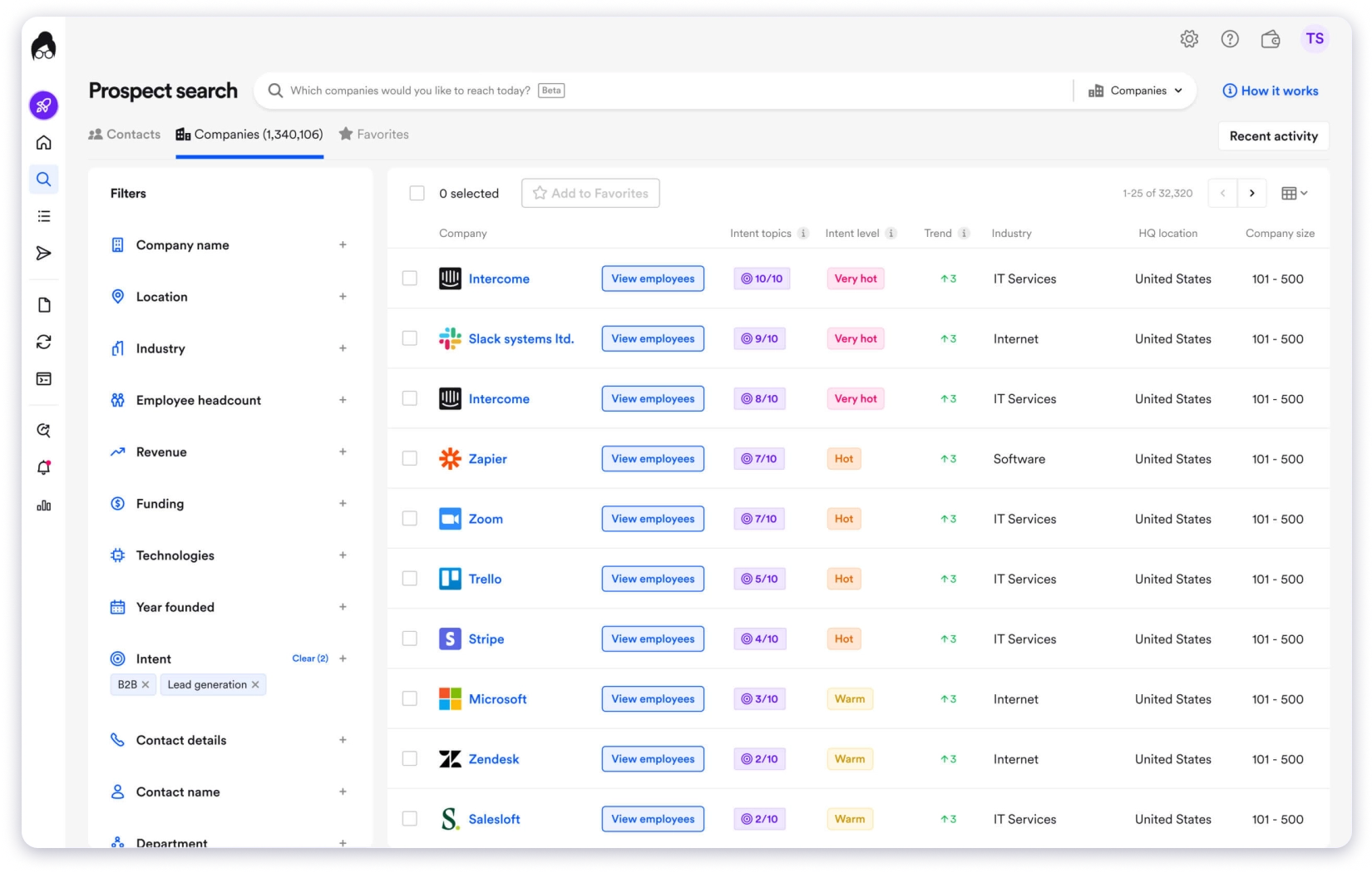
They state outright that they never scrape professional networks or social platforms, and publish a four-stage sourcing and validation pipeline.
They also hold GDPR, CCPA, ISO 27701, ISO 27001, SOC 2 Type II, and TRUSTe Responsible AI certification. That is the heaviest compliance stack in this comparison.
Pros
- Explicit no-scraping data sourcing policy
- Heaviest compliance certification set here
- Sales Navigator support stated plainly
- Buying signals like funding, hiring, and leadership changes
- Unmatched CSV rows are free
Cons
- Phone reveals cost 5 to 10 credits against a 40-credit free allowance
- Their own phone accuracy figure of 86% sits well below their email figure
Pricing
- Free: $0
- Starter: $37.45/ month
- Pro: $52.45/month
- Premium: $299.95/month
- Scale: Custom
Bonus Read: Lusha Alternatives
12. UpLead
G2 rating: 4.7/5⭐
UpLead is a solid email finder for finding contacts with phone numbers, including mobile direct dials on every plan.
How to find email addresses in UpLead
- Step 1: Enter a contact name and company name or URL
- Step 2: Or use the extension on a website or LinkedIn profile
- Step 3: Upload a list to get emails, phones, and social profiles in one pass
- Step 4: Results verify in real time at the moment of unlock
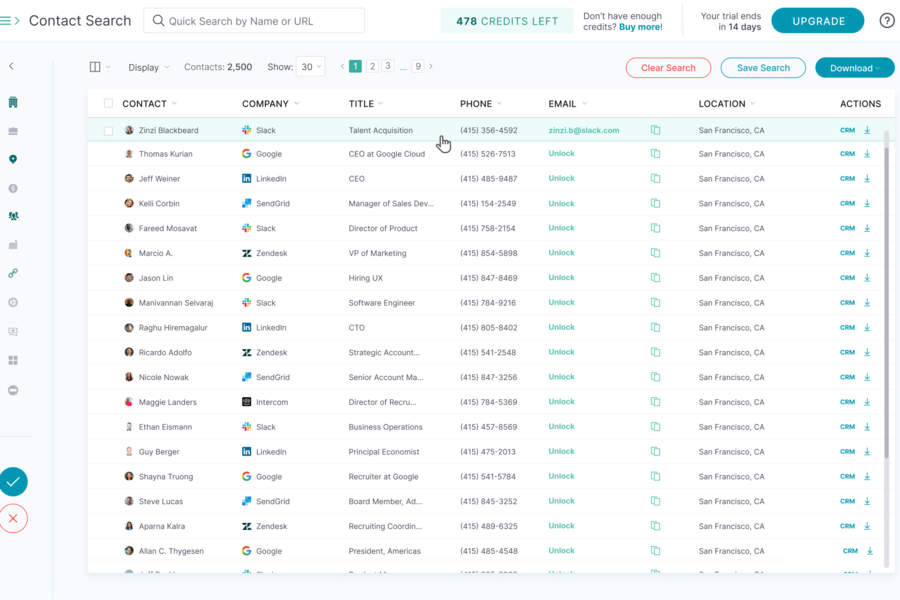
Mobile direct dials are included on every tier, even the trial. Most tools here sell phone data as a separate credit type or a paid add-on.
Their headline promise is “no match, no charge.” Worth knowing that their API docs say accept-all results do consume a credit, which is a bit narrower than the marketing suggests.
Pros
- Mobile direct dials on every plan, including trial
- Real-time verification at unlock
- 50+ search filters
- Credit refund mechanism for bad data
Cons
- Only 5 free credits over 7 days, thinnest trial here
- 170 credits a month at $99 is expensive per lookup
- Enrichment, technographics, and intent data locked to higher tiers
Pricing
- Essentials: $74/mo
- Plus: $149/mo
- Professional: Custom
Bonus Read: UpLead Alternatives
13. Mailmeteor
G2 rating: 4.1/5⭐
Mailmeteor is the best email finder for free, with no sign-up, no card, and no credit limit.
There is no catch here, which is what surprised me. No account, no card, no credit counter.
How to find email addresses in Mailmeteor
- Step 1: Open the Email Finder; no signup needed
- Step 2: Enter a first name, last name, and company domain
- Step 3: Or paste a public LinkedIn profile URL
- Step 4: Read the result, including the risky flag if the mailbox could not be confirmed
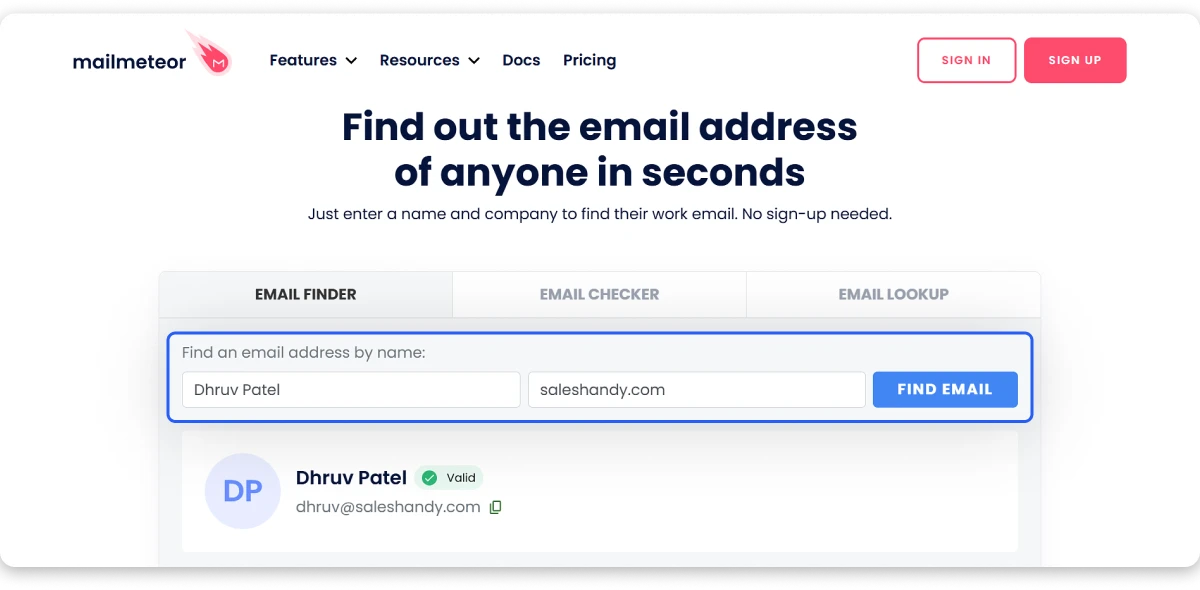
Their Email Checker runs 15+ named checks, including a real SMTP handshake, and they publish what verification cannot catch as well as what it can.
It is built for one lookup at a time. Their own docs say so. If you need volume, this is not the tool.
Pros
- No signup, no card, no credit limit
- LinkedIn email finder and reverse email lookup, both free
- 15+ verification checks published openly
- Honest about what verification cannot do
Cons
- Individual lookups only; bulk and automated searching restricted
- No documented API for the finder
Pricing
- Finder: Free
14. SignalHire
G2 rating: 4.0/5 ⭐
SignalHire is an excellent email lookup tool for finding people’s personal emails, not just work addresses.
If you are recruiting, a work email is often the wrong address. SignalHire returns personal emails and mobile numbers alongside the work ones.
How to find email addresses in SignalHire
- Step 1: Search by name, title, location, industry, skills or years of experience
- Step 2: Or use the extension on a LinkedIn profile
- Step 3: Click once to reveal every contact detail on that person
- Step 4: Bulk enrich up to 1,000 profiles at a time
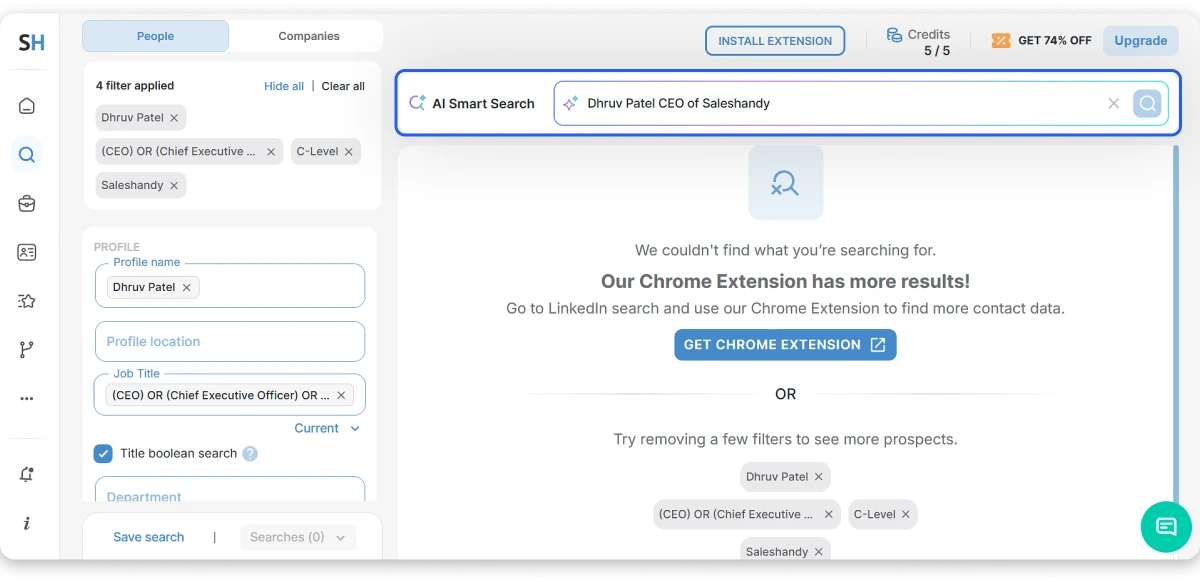
One credit returns everything on that profile. All emails, all phones, all socials. Charged only if it finds something.
Every paid plan gives unlimited users and unlimited exports, which for a team is a much better deal than per-seat pricing.
One thing to read carefully before you buy. Their unlimited plans are capped at 2,000 credits a month in the terms, shared across the whole account.
Pros
- Personal emails and mobile numbers, not just work addresses
- One credit returns the full contact record
- Unlimited users and exports on every paid plan
- 25+ ATS and CRM integrations
- 10 free credits every month with the extension installed
Cons
- Unlimited plans capped at 2,000 credits a month in the terms
- Verification outsourced to unnamed third parties
- No published methodology behind their accuracy claims
Pricing
- Emails: $57/mo
- Phones: $57/mo
- Emails & Phones: $57/mo
- Scale: Custom
7 Best Practices for Finding Verified Professional Emails
A tool gives you an address. Whether it lands in an inbox comes down to how you search for it.
- Start With the Domain, Not the Person
- Give the Tool a Full Name
- Check Whether the Email Is Valid, Risky, or Catch-All
- Re-Verify Your List Before You Launch a Campaign
- Run the Failed Contacts Through a Second Email Finder
- Check GDPR Rules Before Emailing EU Contacts
- Never Guess an Address and Send to It
These are the habits that separate a list that converts from a list that bounces.
1. Start With the Domain, Not the Person
If you are not sure whether the company runs on @company.com or @getcompany.io, run a domain search before anything else.
Half the failed lookups come down to the right name against the wrong domain. Two minutes here saves you a credit and a bounce later.
2. Give the Tool a Full Name
“J. Smith” and “Jonathan Smith” return different results.
Pull the full name off LinkedIn before you search. Most email finders build their guess from name patterns, so an initial gives them far less to work with.
3. Check Whether the Email Is Valid, Risky, or Catch-All
Most tools label every address they return, and the label matters more than the address.
Valid means the mail server confirmed the mailbox exists, so you can send to it. Risky means it would not confirm either way, and those are the ones that bounce. Keep them out of your main list rather than hoping.
Catch-all is the trickiest of the three. Those domains accept every address you throw at them, so no tool can tell a real mailbox from a guess. Unless you are using something that specifically resolves catch-alls, park those contacts separately and send to them last.
4. Re-Verify Your List Before You Launch a Campaign
Verified data goes stale faster than most people expect, because people change jobs.
If your list has been sitting for a few months, run it through a verifier again before you load it into a sequence. It costs a fraction of what a spike in bounces costs you.
5. Run the Failed Contacts Through a Second Email Finder
No single database covers everyone.
When a tool returns no email for a contact, that same person often turns up on a different one. This is why it is worth keeping a couple of free tiers open even after you pay for your main tool.
6. Check GDPR Rules Before Emailing EU Contacts
Business contact data is generally fair game for B2B outreach in the US.
GDPR applies to EU contacts and personal data, so if you are emailing into Europe, you need a legitimate interest basis and a clear way to opt out. Some tools publish their sourcing policy openly, which helps when your legal team asks where the data came from.
7. Never Guess an Address and Send to It
A pattern-guessed email that bounces damages your sending reputation.
One missing contact costs you nothing. A bounce rate above 3% starts affecting whether your other emails reach the inbox at all.
Which Email Finder Should You Actually Pay For?
Most of these tools will find the same email for a well-known person at a well-known company. The differences show up on the hard ones.
That is where the credit policy matters more than the accuracy claim. A tool that charges you for a result it could not verify is charging you for its own uncertainty.
Saleshandy is where I would put my budget.
You get the work email and the personal email for the same person, verified in real time when you click. If it cannot find one, nothing gets deducted.
And with 75+ filters, you can build the list from a buyer profile instead of starting with names you already have.
At $34 a month, it is also the best way to get verified emails and phone numbers from the same search.
FAQs About Email Finding Tools
1. What is the best way to find someone’s email address?
Enter their full name and their company domain into an email finder. Most tools return a verified work email in a few seconds. If you only have a LinkedIn profile, Skrapp, FindMyEmail,l and Saleshandy all accept a profile URL instead.
2. What is the best email finder for sales?
For sales teams building lists, Saleshandy and Apollo both let you search by buyer profile rather than starting with names. For one-off lookups during a call, Hunter is faster.
3. Are free email finder tools accurate?
The free tier usually runs the same verification as the paid one. The limit is volume, not quality. Hunter, GetProspect, and Tomba all renew credits monthly, so a low-volume user never needs to pay.
4. Can email finder tools find personal email addresses?
Most return work emails only. Saleshandy and SignalHire both return personal addresses, and Mailmeteor’s reverse lookup can surface them.
5. How accurate are email finder tools?
Most publish figures between 95% and 99%, but almost none publish how they measured. Two vendors ran their own benchmarks last year, and both ranked themselves first with contradicting results. Treat published accuracy as a claim, not a measurement.
6. Do email finders charge you when they cannot find an email?
Most do not. Hunter, Tomba, Findymail, Anymail Finder, GetProspect, and Saleshandy all state that a failed search is free. Snov.io charges a credit for unverifiable results, which is the loosest policy here.
7. What is the difference between an email finder and an email verifier?
A finder gives you an address you did not have. A verifier checks an address you already have. Most tools here do both, though several charge separate credits for each.
8. Can you find email addresses in bulk?
Yes, on most of them. Anymail Finder handles up to 100,000 rows; Tomba 10,000; SignalHire 1,000 per run. Mailmeteor is the exception, since it is built for single lookups only.



 Anil Salvi